Temat: RouterBOARD M33G - prosze o pomoc
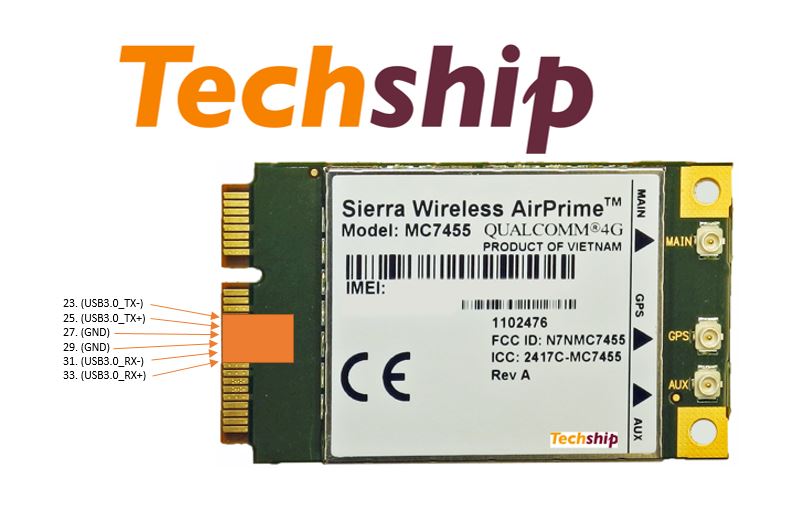
Witam jestem początkujący w temacie. szukam osoby która pomogła by mi zainstalować openwrt lede na mojej płytce. Obecnie mam problem że instalacje blokuje się na pewnym etapie. Docelowo chciałbym osiągnąć działający zestaw RouterBOARD M33G + sierra MC7455 + ewentualnie jak to odpalę inny modem jako łącze zapasowe. Z góry dziękuję za pomoc - ps. mogę udostępnić swój komputer (teamviver) za dobre piwko
Wstawiam log z moich prób odpalenia openwrt:
RouterBOOT booter 6.43.8
RouterBOARD M33G
CPU frequency: 880 MHz
Memory size: 256 MiB
Storage size: 16 MiB
Press any key within 2 seconds to enter setup
RouterBOOT-6.43.8
What do you want to configure?
d - boot delay
k - boot key
s - serial console
n - silent boot
o - boot device
u - cpu mode
f - cpu frequency
r - reset booter configuration
e - format storage
w - repartition nand
g - upgrade firmware
i - board info
p - boot protocol
b - booter options
t - test ram memory
x - exit setup
your choice: o - boot device
Select boot device:
e - boot over Ethernet
* n - boot from NAND, if fail then Ethernet
1 - boot Ethernet once, then NAND
o - boot from NAND only
b - boot chosen device
f - boot Flash Configure Mode
3 - boot Flash Configure Mode once, then NAND
your choice: e - boot over Ethernet
RouterBOOT-6.43.8
What do you want to configure?
d - boot delay
k - boot key
s - serial console
n - silent boot
o - boot device
u - cpu mode
f - cpu frequency
r - reset booter configuration
e - format storage
w - repartition nand
g - upgrade firmware
i - board info
p - boot protocol
b - booter options
t - test ram memory
x - exit setup
your choice: o - boot device
Select boot device:
* e - boot over Ethernet
n - boot from NAND, if fail then Ethernet
1 - boot Ethernet once, then NAND
o - boot from NAND only
b - boot chosen device
f - boot Flash Configure Mode
3 - boot Flash Configure Mode once, then NAND
your choice: b - boot chosen device
trying bootp protocol... OK
Got IP address: 192.168.1.1
resolved mac address 78:24:AF:C9:89:66
transfer started .......................... transfer ok, time=1.78s
setting up elf image... OK
jumping to kernel code
OpenWrt kernel loader for MIPS based SoC
Copyright (C) 2011 Gabor Juhos <juhosg@openwrt.org>
Decompressing kernel... done!
Starting kernel at 80001000...
[ 0.000000] Linux version 4.14.63 (buildbot@builds-03.infra.lede-project.org) (gcc version 7.3.0 (OpenWrt GCC 7.3.0 r7102-3f3a2c9)) #0 SMP Thu Aug 16 07:51:1 5 2018
[ 0.000000] SoC Type: MediaTek MT7621 ver:1 eco:3
[ 0.000000] bootconsole [early0] enabled
[ 0.000000] CPU0 revision is: 0001992f (MIPS 1004Kc)
[ 0.000000] MIPS: machine is MikroTik RBM33G
[ 0.000000] Determined physical RAM map:
[ 0.000000] memory: 10000000 @ 00000000 (usable)
[ 0.000000] Initrd not found or empty - disabling initrd
[ 0.000000] VPE topology {2,2} total 4
[ 0.000000] Primary instruction cache 32kB, VIPT, 4-way, linesize 32 bytes.
[ 0.000000] Primary data cache 32kB, 4-way, PIPT, no aliases, linesize 32 byt es
[ 0.000000] MIPS secondary cache 256kB, 8-way, linesize 32 bytes.
[ 0.000000] Zone ranges:
[ 0.000000] Normal [mem 0x0000000000000000-0x000000000fffffff]
[ 0.000000] HighMem empty
[ 0.000000] Movable zone start for each node
[ 0.000000] Early memory node ranges
[ 0.000000] node 0: [mem 0x0000000000000000-0x000000000fffffff]
[ 0.000000] Initmem setup node 0 [mem 0x0000000000000000-0x000000000fffffff]
[ 0.000000] random: get_random_bytes called from 0x80549740 with crng_init=0
[ 0.000000] percpu: Embedded 14 pages/cpu @8120f000 s26256 r8192 d22896 u5734 4
[ 0.000000] Built 1 zonelists, mobility grouping on. Total pages: 65024
[ 0.000000] Kernel command line: console=ttyS0,115200 rootfstype=squashfs,jff s2
[ 0.000000] PID hash table entries: 1024 (order: 0, 4096 bytes)
[ 0.000000] Dentry cache hash table entries: 32768 (order: 5, 131072 bytes)
[ 0.000000] Inode-cache hash table entries: 16384 (order: 4, 65536 bytes)
[ 0.000000] Writing ErrCtl register=00060044
[ 0.000000] Readback ErrCtl register=00060044
[ 0.000000] Memory: 252068K/262144K available (4596K kernel code, 239K rwdata , 564K rodata, 1820K init, 270K bss, 10076K reserved, 0K cma-reserved, 0K highme m)
[ 0.000000] SLUB: HWalign=32, Order=0-3, MinObjects=0, CPUs=4, Nodes=1
[ 0.000000] Hierarchical RCU implementation.
[ 0.000000] NR_IRQS: 256
[ 0.000000] clocksource: GIC: mask: 0xffffffffffffffff max_cycles: 0xcaf478ab b4, max_idle_ns: 440795247997 ns
[ 0.000000] clocksource: MIPS: mask: 0xffffffff max_cycles: 0xffffffff, max_i dle_ns: 4343773742 ns
[ 0.000010] sched_clock: 32 bits at 440MHz, resolution 2ns, wraps every 48806 45118ns
[ 0.007808] Calibrating delay loop... 586.13 BogoMIPS (lpj=2930688)
[ 0.073970] pid_max: default: 32768 minimum: 301
[ 0.078734] Mount-cache hash table entries: 1024 (order: 0, 4096 bytes)
[ 0.085242] Mountpoint-cache hash table entries: 1024 (order: 0, 4096 bytes)
[ 0.093983] Hierarchical SRCU implementation.
[ 0.099103] smp: Bringing up secondary CPUs ...
[ 4.555918] Primary instruction cache 32kB, VIPT, 4-way, linesize 32 bytes.
[ 4.555928] Primary data cache 32kB, 4-way, PIPT, no aliases, linesize 32 byt es
[ 4.555939] MIPS secondary cache 256kB, 8-way, linesize 32 bytes.
[ 4.556070] CPU1 revision is: 0001992f (MIPS 1004Kc)
[ 0.163838] Synchronize counters for CPU 1: done.
[ 9.279144] Primary instruction cache 32kB, VIPT, 4-way, linesize 32 bytes.
[ 9.279153] Primary data cache 32kB, 4-way, PIPT, no aliases, linesize 32 byt es
[ 9.279162] MIPS secondary cache 256kB, 8-way, linesize 32 bytes.
[ 9.279230] CPU2 revision is: 0001992f (MIPS 1004Kc)
[ 0.254850] Synchronize counters for CPU 2: done.
[ 6.912703] Primary instruction cache 32kB, VIPT, 4-way, linesize 32 bytes.
[ 6.912711] Primary data cache 32kB, 4-way, PIPT, no aliases, linesize 32 byt es
[ 6.912720] MIPS secondary cache 256kB, 8-way, linesize 32 bytes.
[ 6.912797] CPU3 revision is: 0001992f (MIPS 1004Kc)
[ 0.340025] Synchronize counters for CPU 3: done.
[ 0.369885] smp: Brought up 1 node, 4 CPUs
[ 0.377443] clocksource: jiffies: mask: 0xffffffff max_cycles: 0xffffffff, ma x_idle_ns: 19112604462750000 ns
[ 0.387222] futex hash table entries: 1024 (order: 3, 32768 bytes)
[ 0.393513] pinctrl core: initialized pinctrl subsystem
[ 0.399316] NET: Registered protocol family 16
[ 0.410148] Can't analyze schedule() prologue at 80478bc4
[ 0.416223] pull PCIe RST: RALINK_RSTCTRL = 0
[ 0.720886] release PCIe RST: RALINK_RSTCTRL = 7000000
[ 0.725919] ***** Xtal 40MHz *****
[ 0.729292] release PCIe RST: RALINK_RSTCTRL = 7000000
[ 0.734399] Port 0 N_FTS = 1b102800
[ 0.737841] Port 1 N_FTS = 1b102800
[ 0.741300] Port 2 N_FTS = 1b102800
[ 1.896216] PCIE0 no card, disable it(RST&CLK)
[ 1.900560] PCIE1 no card, disable it(RST&CLK)
[ 1.904968] PCIE2 no card, disable it(RST&CLK)
[ 1.917412] mt7621_gpio 1e000600.gpio: registering 32 gpios
[ 1.923218] mt7621_gpio 1e000600.gpio: registering 32 gpios
[ 1.928936] mt7621_gpio 1e000600.gpio: registering 32 gpios
[ 1.935810] i2c-mt7621 1e000900.i2c: clock 100KHz, re-start not support
[ 1.943954] clocksource: Switched to clocksource GIC
[ 1.950222] NET: Registered protocol family 2
[ 1.955365] TCP established hash table entries: 2048 (order: 1, 8192 bytes)
[ 1.962248] TCP bind hash table entries: 2048 (order: 2, 16384 bytes)
[ 1.968673] TCP: Hash tables configured (established 2048 bind 2048)
[ 1.975083] UDP hash table entries: 256 (order: 1, 8192 bytes)
[ 1.980846] UDP-Lite hash table entries: 256 (order: 1, 8192 bytes)
[ 1.987306] NET: Registered protocol family 1
[ 3.593915] 4 CPUs re-calibrate udelay(lpj = 2924544)
[ 3.600384] Crashlog allocated RAM at address 0x3f00000
[ 3.605730] workingset: timestamp_bits=30 max_order=16 bucket_order=0
[ 3.619176] squashfs: version 4.0 (2009/01/31) Phillip Lougher
[ 3.625066] jffs2: version 2.2 (NAND) (SUMMARY) (LZMA) (RTIME) (CMODE_PRIORIT Y) (c) 2001-2006 Red Hat, Inc.
[ 3.637434] random: fast init done
[ 3.641640] io scheduler noop registered
[ 3.645488] io scheduler deadline registered (default)
[ 3.651731] Serial: 8250/16550 driver, 16 ports, IRQ sharing enabled
[ 3.660985] console [ttyS0] disabled
[ 3.664575] 1e000c00.uartlite: ttyS0 at MMIO 0x1e000c00 (irq = 18, base_baud = 3125000) is a 16550A
[ 3.673531] console [ttyS0] enabled
[ 3.673531] console [ttyS0] enabled
[ 3.680431] bootconsole [early0] disabled
[ 3.680431] bootconsole [early0] disabled
[ 3.689225] cacheinfo: Failed to find cpu0 device node
[ 3.694406] cacheinfo: Unable to detect cache hierarchy for CPU 0
[ 3.701291] MediaTek Nand driver init, version v2.1 Fix AHB virt2phys error
[ 3.708704] spi-mt7621 1e000b00.spi: sys_freq: 50000000
[ 3.725214] m25p80 spi0.0: w25x40 (512 Kbytes)
[ 3.729682] 2 fixed-partitions partitions found on MTD device spi0.0
[ 3.736038] Creating 2 MTD partitions on "spi0.0":
[ 3.740832] 0x000000000000-0x00000000f000 : "routerboot"
[ 3.747267] 0x00000000f000-0x000000080000 : "factory"
[ 3.753845] m25p80 spi0.1: unrecognized JEDEC id bytes: ef, 70, 18
[ 3.760072] m25p80: probe of spi0.1 failed with error -2
[ 3.765990] libphy: Fixed MDIO Bus: probed
[ 3.835932] libphy: mdio: probed
[ 5.248782] mtk_soc_eth 1e100000.ethernet: loaded mt7530 driver
[ 5.255380] mtk_soc_eth 1e100000.ethernet eth0: mediatek frame engine at 0xbe 100000, irq 21
[ 5.266160] NET: Registered protocol family 10
[ 5.272092] Segment Routing with IPv6
[ 5.275926] NET: Registered protocol family 17
[ 5.280414] bridge: filtering via arp/ip/ip6tables is no longer available by default. Update your scripts to load br_netfilter if you need this.
[ 5.293324] 8021q: 802.1Q VLAN Support v1.8
[ 5.299732] hctosys: unable to open rtc device (rtc0)
[ 5.311481] Freeing unused kernel memory: 1820K
[ 5.316039] This architecture does not have kernel memory protection.
[ 5.333046] init: Console is alive
[ 5.336784] init: - watchdog -
[ 5.350332] kmodloader: loading kernel modules from /etc/modules-boot.d/*
[ 5.360544] kmodloader: done loading kernel modules from /etc/modules-boot.d/ *
[ 5.374276] init: - preinit -
[ 5.502433] mtk_soc_eth 1e100000.ethernet: PPE started
[ 5.525315] random: procd: uninitialized urandom read (4 bytes read)
Press the [f] key and hit [enter] to enter failsafe mode
Press the [1], [2], [3] or [4] key and hit [enter] to select the debug level
[ 7.214040] mtk_soc_eth 1e100000.ethernet eth0: port 0 link up
[ 8.641992] mtk_soc_eth 1e100000.ethernet: 0x100 = 0x6060000c, 0x10c = 0x8081 8
[ 8.656219] procd: - early -
[ 8.659190] procd: - watchdog -
[ 9.294096] procd: - watchdog -
[ 9.297532] procd: - ubus -
[ 9.305431] random: ubusd: uninitialized urandom read (4 bytes read)
[ 9.354651] random: ubusd: uninitialized urandom read (4 bytes read)
[ 9.361320] random: ubusd: uninitialized urandom read (4 bytes read)
[ 9.368524] procd: - init -
Please press Enter to activate this console.
[ 9.495520] kmodloader: loading kernel modules from /etc/modules.d/*
[ 9.504682] ip6_tables: (C) 2000-2006 Netfilter Core Team
[ 9.839065] ip_tables: (C) 2000-2006 Netfilter Core Team
[ 10.178046] nf_conntrack version 0.5.0 (4096 buckets, 16384 max)
[ 10.382771] xt_time: kernel timezone is -0000
[ 10.567093] PPP generic driver version 2.4.2
[ 10.572496] NET: Registered protocol family 24
[ 10.579060] kmodloader: done loading kernel modules from /etc/modules.d/*
[ 11.656282] urandom_read: 5 callbacks suppressed
[ 11.656293] random: jshn: uninitialized urandom read (4 bytes read)
[ 16.649966] mtk_soc_eth 1e100000.ethernet: PPE started
[ 16.662471] br-lan: port 1(eth0.1) entered blocking state
[ 16.667925] br-lan: port 1(eth0.1) entered disabled state
[ 16.673907] device eth0.1 entered promiscuous mode
[ 16.678765] device eth0 entered promiscuous mode
[ 16.687278] br-lan: port 1(eth0.1) entered blocking state
[ 16.692686] br-lan: port 1(eth0.1) entered forwarding state
[ 16.698713] IPv6: ADDRCONF(NETDEV_UP): br-lan: link is not ready
[ 17.714395] IPv6: ADDRCONF(NETDEV_CHANGE): br-lan: link becomes ready
[ 18.688900] random: crng init done
BusyBox v1.28.3 () built-in shell (ash)
_______ ________ __
| |.-----.-----.-----.| | | |.----.| |_
| - || _ | -__| || | | || _|| _|
|_______|| __|_____|__|__||________||__| |____|
|__| W I R E L E S S F R E E D O M
-----------------------------------------------------
OpenWrt 18.06.1, r7258-5eb055306f
-----------------------------------------------------
=== WARNING! =====================================
There is no root password defined on this device!
Use the "passwd" command to set up a new password
in order to prevent unauthorized SSH logins.
--------------------------------------------------
root@OpenWrt:/# [ 136.086696] mtk_soc_eth 1e100000.ethernet eth0: port 0 link d own
[ 139.409178] mtk_soc_eth 1e100000.ethernet eth0: port 2 link up
[ 145.905701] mtk_soc_eth 1e100000.ethernet eth0: port 2 link down
[ 149.643357] mtk_soc_eth 1e100000.ethernet eth0: port 1 link up
Watchdog handover: fd=3
- watchdog -
killall: telnetd: no process killed
killall: dropbear: no process killed
Sending TERM to remaining processes ... udhcpc odhcp6c ntpd dnsmasq sh ubus ubus d logd rpcd netifd odhcpd
Sending KILL to remaining processes ...
Could not open mtd device: firmware
Could not open mtd device: firmware
Performing system upgrade...
Could not open mtd device: firmware
Can't open device for writing!
cat: write error: Broken pipe
Upgrade completed
Rebooting system...
umount: can't unmount /dev: Resource busy
umount: can't unmount /tmp: Resource busy
umount: can't unmount /: Invalid argument
[ 254.404286] reboot: Restarting system
RouterBOOT booter 6.43.8
RouterBOARD M33G
CPU frequency: 880 MHz
Memory size: 256 MiB
Storage size: 16 MiB
Press any key within 2 seconds to enter setup..
m33 boot from CS1
loading kernel... OK
setting up elf image... OK
jumping to kernel code
umount: can't unmount /tmp: Resource busy
^CStarting...
Starting services...
MikroTik 6.43.8 (stable)
MikroTik Login: admin
Password: