576

Odp: Modem od routera MF286D

Leo-PL napisał/a:

I was able to switch profile 2 to IMS on MF286 using AT$QCPDPIMSCFGE=2,1, but this changed nothing - probably due to polish carriers not giving a single shit about prepaid SIMs . Tried with nju (Orange) and Play so far, I need to test with T-mobile and Plus.

Ok… but we need to understand what’s inside these profile. On the EFS there are some configurazione but are usually empty.

Also on ELISA1_B06, ZIMSREGSTATUS is bugged. With IMS registered and VoLTE working, it reports always 0 instead of 2

577

Odp: Modem od routera MF286D

guys anyone has tried ZLOCKCELL with Nordic B11?
Looks like that when it's enabled, the CA is not honored, while on B02 is working

578 (edytowany przez MiG25 2022-07-23 16:30:44)

Odp: Modem od routera MF286D

Yes , looks like on Nordic B09 is still ok , but on B10 CA missing as well. ( just now tested B09 and updated to B10).

EDIT:
No , looks like after update to B11 Agregaion still there:

admin@(none):~# echo -e -n 'AT+ZLOCKCELL?\r' > /dev/ttyUSB1 && cat /dev/ttyUSB1
AT+ZCELLINFO?
+ZCELLINFO: 74619672, 234, LTE B1, 225

OK
AT+ZLOCKCELL?
+ZLOCKCELL: 225, 234

OK
^[[A^[[A^C
admin@(none):~# echo -e -n 'AT+ZCAINFO?\r' > /dev/ttyUSB1 && grep -m1 "ZCAINFO:" /dev/ttyUSB1

+ZCAINFO: 234, 1, 59100, 225, 15.0;          423, 2, 3, 1599, 10.0;

admin@(none):~# echo -e -n 'ATI\r' > /dev/ttyUSB1 && cat /dev/ttyUSB1
ATI
Manufacturer: ZTE CORPORATION
Model: MF286DMODULE
Revision: BD_TELIAMF286DV1.0.0B11
SVN: 11
IMEI: 8667540********
+GCAP: +CGSM

OK

579

Odp: Modem od routera MF286D

MiG25 napisał/a:

Yes , looks like on Nordic B09 is still ok , but on B10 CA missing as well. ( just now tested B09 and updated to B10).

EDIT:
No , looks like after update to B11 Agregaion still there:

admin@(none):~# echo -e -n 'AT+ZLOCKCELL?\r' > /dev/ttyUSB1 && cat /dev/ttyUSB1
AT+ZCELLINFO?
+ZCELLINFO: 74619672, 234, LTE B1, 225

OK
AT+ZLOCKCELL?
+ZLOCKCELL: 225, 234

OK
^[[A^[[A^C
admin@(none):~# echo -e -n 'AT+ZCAINFO?\r' > /dev/ttyUSB1 && grep -m1 "ZCAINFO:" /dev/ttyUSB1

+ZCAINFO: 234, 1, 59100, 225, 15.0;          423, 2, 3, 1599, 10.0;

admin@(none):~# echo -e -n 'ATI\r' > /dev/ttyUSB1 && cat /dev/ttyUSB1
ATI
Manufacturer: ZTE CORPORATION
Model: MF286DMODULE
Revision: BD_TELIAMF286DV1.0.0B11
SVN: 11
IMEI: 8667540********
+GCAP: +CGSM

OK

have you done a "AT+ZRST" after commands?

580 (edytowany przez stich86 2022-07-23 17:42:46)

Odp: Modem od routera MF286D

in my case:

AT+ZCAINFO?
+ZCAINFO: 130, 3, 33003, 1850, 20.0;

AT+ZCELLINFO?
+ZCELLINFO: 17790240, 130, LTE B3, 1850
OK

AT+ZLOCKCELL?:
+ZLOCKCELL: 1850, 130
OK

doing a speedtest only B3 is used

581

Odp: Modem od routera MF286D

stich86 napisał/a:

have you done a "AT+ZRST" after commands?

Probably not , but ZLOCKCELL was all the time ( at update on level B06 ) ,and at that time it was hard reset ( by removing power cable smile )
So on B09 i got Aggregation , on B10 - no aggregation , but on B11 there was again...

582

Odp: Modem od routera MF286D

MiG25 napisał/a:
stich86 napisał/a:

have you done a "AT+ZRST" after commands?

Probably not , but ZLOCKCELL was all the time ( at update on level B06 ) ,and at that time it was hard reset ( by removing power cable smile )
So on B09 i got Aggregation , on B10 - no aggregation , but on B11 there was again...

doesn't work for me sad
don't know if it's related to my BTS...

i'll try to flash Elisa1 and see if it's working

583

Odp: Modem od routera MF286D

@smereka

Pls update the mega link, this is the new one:

https://mega.nz/folder/exQHlRKA#Dv9sxWFdUgd_Omy9UjOPkA

584 (edytowany przez smereka 2022-08-08 15:17:30)

Odp: Modem od routera MF286D

stich86 napisał/a:

@smereka

Pls update the mega link, this is the new one:

https://mega.nz/folder/exQHlRKA#Dv9sxWFdUgd_Omy9UjOPkA


Zaktualizowane. Dzięki

585

Odp: Modem od routera MF286D

stich86 napisał/a:

@smereka

Pls update the mega link, this is the new one:

https://mega.nz/folder/exQHlRKA#Dv9sxWFdUgd_Omy9UjOPkA

Great job Stich86!
What type of hardware do I need to modify mf286D IMEI? (not only at runtime with nv set.... I mean)

Thanks, Kabubi.

586

Odp: Modem od routera MF286D

Since QPST and other programs runs on Windows , you need to dismount modem from router ,and either place it in the computer with mpcie socket ( like laptop ) , or have usb to mpcie adapter.

587

Odp: Modem od routera MF286D

MiG25 napisał/a:

Since QPST and other programs runs on Windows , you need to dismount modem from router ,and either place it in the computer with mpcie socket ( like laptop ) , or have usb to mpcie adapter.

Thankyou, I will try that way.

588

Odp: Modem od routera MF286D

Hello

I have a Three (UK) branded MF286D and with the help of this forum, recently changed the router firmware to Nordic B12 (by reflashing mtd8 and mtd9).

The modem firmware is still original BD_MF286DMODULEV1.0.0B03 as supplied by Three (UK).  Now I am not sure whether I can go from the current version to TELIA using adb to install the delta upgrades.  I read on the Italian Fibra Forum that this will not work.  What should I do?

The other question is whether it is worth upgrading the modem at all, is there some info on what has been changed between versions?

Also, we have Band 32 in the UK, which is supported by the modem.  I don't want to lose Band 32 by changing modem firmware to Nordic.  I understand that Band 32 is used in UK, Germany and Italy only, so maybe it is not included in the Nordic modem firmware.  How can I find out?

Many thanks and apologies for posting in English

589

Odp: Modem od routera MF286D

For sure you can't go thru adb update before you will not change a base to TELIA ( This you can do only by Framework , or flashing externally as described in this topic).
Nowhere you will find changelog ...
Maybe on italian fibra forum they know ,if on TELIA for sure works B32 (since they have this band as well), in Poland this band not exist so hard to confirm.

590

Odp: Modem od routera MF286D

Hello guys, i have a mf286d with Elisa ver.11 with a problem. IMEI have 0000 valute and not work. For restore original IMEI what i do? I need to buy a mpcie adaptator and follow this guide or i need only serial and at command?

Works everything like admin page, change valute from option, wifi work and ethernet.

591

Odp: Modem od routera MF286D

Pobably it is not a case only about faulty IMEI , but whole modem with faulty firmware.
Are the LED  for 3G/4G is lighting ? Do you have  posibility to send and see AT conmands ?
Orginal FW show IMEI with zeros when modem is not availble.

Anway ou have to prepare for mpcie adaptor , becouse probably command for change IMEI not exist ( or not pubic).

592 (edytowany przez spywork 2022-11-10 23:47:35)

Odp: Modem od routera MF286D

MiG25 napisał/a:

Pobably it is not a case only about faulty IMEI , but whole modem with faulty firmware.
Are the LED  for 3G/4G is lighting ? Do you have  posibility to send and see AT conmands ?
Orginal FW show IMEI with zeros when modem is not availble.

Anway ou have to prepare for mpcie adaptor , becouse probably command for change IMEI not exist ( or not pubic).

No. Only power led and the back led. For now no, i don't have in my hand adaptator for serial connection. In information box i see serial number and firmware info name e version. All other info are missing like imsi, IMEI all 0... I try to remove and insert modem but nothing change. If i try to reset via admin page give me success box but nothing happen, with physical button for reset no change. Restart via admin page no work. I think have a fault hardware

593

Odp: Modem od routera MF286D

Witchout LED 3G/4G modem is in service mode or totally dead. You can try to bring it back following instructions in first post.

594

Odp: Modem od routera MF286D

Przyłączę się do tematu. Walczę z MF286D, który przestał działać. Z wstępnych obserwacji wygląda, że WEB UI wisi i nie wyświetla okna logowania. Na routerze pali się tylko dioda POWER.
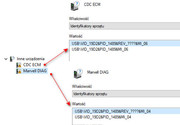
Zakupiłem adapter PCI-E do USB ale po podłączeniu go z modemem z w/w routera w menedżerze urządzeń brakuje sterowników.

https://i.postimg.cc/dkSxjs7f/MF286D.jpg

Czy ktoś może mi podpowiedzieć skąd je pobrać?
Używam WIN10.

595

Odp: Modem od routera MF286D

Taki modem występował w MF286R a nie w MF286D. Co właściwie masz?
Te modemy nie są dostępne na wolnym rynku i zte nie dostarcza pakietu sterowników do tego. Musiał byś poszukać i przerabiać jakieś inne. Ale to windows, więc kompletnie nie związane z tematyką tego forum.

Masz niepotrzebny router, uszkodzony czy nie - chętnie przygarnę go.

596

Odp: Modem od routera MF286D

Cezary napisał/a:

Taki modem występował w MF286R a nie w MF286D. Co właściwie masz?
Te modemy nie są dostępne na wolnym rynku i zte nie dostarcza pakietu sterowników do tego. Musiał byś poszukać i przerabiać jakieś inne. Ale to windows, więc kompletnie nie związane z tematyką tego forum.

Racja, mój błąd. Poprawny model to MF286R.
Rozumiem, że marne szanse na znalezienie działających sterowników, szczególnie pod windows.

597

Odp: Modem od routera MF286D

Możesz poszukać sterowników do innego modemu który jest na marvellu i przerabiać *.inf żeby identyfikatory się zgadzały. Ale to trochę bez sensu robota. Wgraj do niego openwrt i używaj normalnie routera (o ile sam sprzęt jest sprawny).

Masz niepotrzebny router, uszkodzony czy nie - chętnie przygarnę go.

598

Odp: Modem od routera MF286D

Możesz prześledzić ten wątek: https://forum.mikrotik.com/viewtopic.php?t=132348

599

Odp: Modem od routera MF286D

stich86 napisał/a:
Leo-PL napisał/a:

You'll likely need to restore EFS partition contents to get IMEI back, or play with the QXDM and a dump from a working modem. Care to share modified contents.xml? I wanted to avoid that, but I guess that's the easiest route after all.

Yes, i'll try to dump the EFS or NV from another MDM9250 that is working, obliviously I'll need to write back the old IMEI to avoid overlap.

Regarding contents.xml, i've put these file into this folder:

Hi how to backup efs partition mdm9x50


C:\common\common:

Directory of C:\common\common

13/06/2022  22:13    <DIR>          .
13/06/2022  22:13    <DIR>          ..
02/11/2019  03:12           452.132 appsboot.mbn
02/11/2019  03:12           108.164 armprg.bin
29/03/2019  05:01        21.854.643 asr_mod.tar.gz
29/03/2019  05:01        21.696.338 asr_mod_nord.tar.gz
24/02/2022  15:58         8.388.608 bootnordic.bak
21/10/2019  08:08               430 config
21/01/2020  06:07             7.749 config.zip
12/10/2019  08:58         1.224.704 efs.mbn
02/11/2019  03:12           107.128 ENPRG9x55.mbn
02/11/2019  03:12           107.128 e_armprg.bin
02/11/2019  03:12        56.123.392 mdm-image-mdm9650.ubifs
02/11/2019  03:12        11.796.480 mdm-recovery-image-mdm9650.ubi
02/11/2019  03:12         8.943.616 mdm9650-boot-recovery.img
02/11/2019  03:12         8.943.616 mdm9650-boot.img
02/11/2019  03:12         3.301.376 mdm9650-etc_rw.ubifs
02/11/2019  03:12         3.301.376 mdm9650-fw.ubifs
02/11/2019  03:12         3.301.376 mdm9650-log.ubifs
02/11/2019  03:17        65.273.856 mdm9650-sysfs.ubi
02/11/2019  03:12        10.747.904 mdm9650-zterwfs.ubi
24/02/2022  15:48         8.388.608 mtd8.bin
02/11/2019  03:12        49.545.216 NON-HLOS.ubi
30/10/2019  02:40            65.536 norplusnand-system-partition-ipq40xx.bin
02/11/2019  03:12           108.164 NPRG9x55.mbn
02/11/2019  03:12               492 partition.mbn
02/11/2019  03:12             5.176 partition_nand.xml
04/11/2019  02:53                73 pstcrc.txt
25/04/2022  15:00        38.797.312 root_uImage
14/01/2022  21:13        38.797.312 root_uImageorig
30/10/2019  02:40        20.447.232 root_uImage_s
02/11/2019  03:12           167.220 rpm.mbn
02/11/2019  03:12           229.968 sbl1.mbn
31/10/2019  05:24                79 SHA256SUMS
21/01/2020  08:04                79 SHA256SUMS2
12/01/2022  14:49             8.196 smsbootsect.bak
02/11/2019  03:12           456.316 tz.mbn
30/10/2019  02:40           573.227 uboot.bin
30/10/2019  02:45         4.677.632 web.img
02/11/2019  03:17         3.301.376 ztedata.ubifs
20/09/2019  05:06               475 zte_dload_boot.xml
20/09/2019  05:06             1.852 zte_dload_explain.xml

Then i've changed this part on the content.xml

<build>
      <name>common</name>
      <role>common</role>
      <chipset>MDM9650</chipset>
      <build_id>MDM9650.LE.1.2.c1-00016-NBOOT.GENNCH.NEFS.PROD-1</build_id>
      <windows_root_path>.\</windows_root_path>
      <linux_root_path>./</linux_root_path>
      <image_dir>common</image_dir>
      <download_file get_binary="True" minimized="true">
        <file_name>partition.mbn</file_name>
        <file_path>common/</file_path>
      </download_file>
      <download_file get_binary="True" minimized="true">
        <file_name>NON-HLOS.ubi</file_name>
        <file_path>common/</file_path>
      </download_file>
      <file_ref get_binary="True" partition="modem" minimized="true" fastboot="modem">
        <file_name>NON-HLOS.ubi</file_name>
        <file_path>common/</file_path>
      </file_ref>
      <partition_file>
        <file_name>partition_nand.xml</file_name>
        <file_path>common/</file_path>
      </partition_file>
    </build>

Essentially i've removed "build" dir word from ubi\mbn files and "config" word from partition_nand.xml.
Then i've run "Software Download" program from QPST, go to SB 3.0  tab and point the file contents.xml into "C:\common", send the write command and the modem was restored  and booted in fastboot (because there was corrupted OS):

Format: Log Type - Time(microsec) - Message - Optional Info
Log Type: B - Since Boot(Power On Reset),  D - Delta,  S - Statistic
S - QC_IMAGE_VERSION_STRING=BOOT.BF.3.1-00311
S - IMAGE_VARIANT_STRING=MAATANAZA
S - OEM_IMAGE_VERSION_STRING=scl_xa242_062
S - Boot Interface: NAND
S - Secure Boot: Off
S - Boot Config @ 0x000a602c = 0x000000a1
S - JTAG ID @ 0x000a607c = 0x100320e1
S - OEM ID @ 0x000a6080 = 0x00000000
S - Serial Number @ 0x000a4128 = 0x19146b45
S - OEM Config Row 0 @ 0x000a4150 = 0x0900000000000000
S - OEM Config Row 1 @ 0x000a4158 = 0x0000000000000000
S - Feature Config Row 0 @ 0x000a4160 = 0x14000000000009a0
S - Feature Config Row 1 @ 0x000a4168 = 0x0342f80200000005
B -      3343 - PBL, Start
B -      6753 - bootable_media_detect_entry, Start
B -      8072 - bootable_media_detect_success, Start
B -      8077 - elf_loader_entry, Start
B -     11486 - auth_hash_seg_entry, Start
B -     11737 - auth_hash_seg_exit, Start
B -     60249 - elf_segs_hash_verify_entry, Start
B -    112846 - PBL, End
B -    127093 - SBL1, Start
B -    220911 - pm_device_init, Start
B -    281271 - PM_SET_VAL:Skip
D -     59261 - pm_device_init, Delta
B -    282430 - usb: usb: hs_phy_nondrive_start
B -    286456 - usb: usb: hs_phy_nondrive_finish
B -    289841 - boot_config_data_table_init, Start
D -         0 - boot_config_data_table_init, Delta - (0 Bytes)
B -    299967 - CDT Version:3,Platform ID:8,Major ID:1,Minor ID:0,Subtype:0
B -    306677 - sbl1_ddr_set_params, Start
D -        30 - sbl1_ddr_set_params, Delta
B -    314180 - Pre_DDR_clock_init, Start
D -       366 - Pre_DDR_clock_init, Delta
B -    329186 - pm_driver_init, Start
D -      1799 - pm_driver_init, Delta
B -    331047 - clock_init, Start
D -       152 - clock_init, Delta
B -    335774 - boot_flash_init, Start
D -     33184 - boot_flash_init, Delta
B -    376431 - Image Load, Start
D -     39345 - QSEE Image Loaded, Delta - (394044 Bytes)
B -    415806 - QSEE Execution, Start
D -     65910 - QSEE Execution, Delta
D -       213 - boot_pm_post_tz_device_init, Delta
B -    485316 - Image Load, Start
D -     19520 - RPM Image Loaded, Delta - (161732 Bytes)
B -    657641 - ZTE_POWER_ON_NORMAL
B -    709613 - Image Load, Start
D -     37942 - APPSBL Image Loaded, Delta - (426228 Bytes)
B -    747555 - sbl1_efs_handle_cookies, Start
D -         0 - sbl1_efs_handle_cookies, Delta
B -    754905 - SBL1, End
D -    630069 - SBL1, Delta
S - Throughput, 10000 KB/s  (982068 Bytes,  93720 us)
S - DDR Frequency, 518 MHz
S - Core 0 Frequency, 1190 MHz
Android Bootloader - UART_DM Initialized!!!
[0] welcome to lk

[0] SCM call: 0x2000601 failed with :fffffffc
[0] Failed to initialize SCM
[10] platform_init()
[10] target_init()
[10] Waiting for the RPM to populate smd channel table
[10] smem ptable found: ver: 4 len: 17
[20] ERROR: No devinfo partition found
[20] Neither 'config' nor 'frp' partition found
[20] zte_power_on_ctrl no operation
[30] ----fota cookie is [0xffffffff]----
[30] smem_power->efs_crash = 0x0
[30]  zte_crash_flag not  found
[40] ERROR: Invalid boot image header
[40] ERROR: Could not do normal boot. Reverting to fastboot mode.
[50] scm call to check secure boot fuses failed
[50] fastboot_init()

After that I've installed Google USB driver for the Fastboot interface and i've used these fastboot command (inside the C:\common\common folder) to restore System, Boot, Recovery and Modem partitions:

>fastboot.exe flash boot mdm9650-boot.img
sending2 'boot' (8734 KB)...
OKAY [  0.386s]
writing2 'boot'...
OKAY [  1.220s]
finished. total time: 1.606s

>fastboot.exe flash system mdm9650-sysfs.ubi
sending2 'system' (63744 KB)...
OKAY [  2.991s]
writing2 'system'...
OKAY [  9.078s]
finished. total time: 12.073s

>fastboot.exe flash system mdm9650-sysfs.ubi
sending2 'system' (63744 KB)...
OKAY [  3.741s]
writing2 'system'...
OKAY [  9.420s]
finished. total time: 13.161s

>fastboot.exe flash modem NON-HLOS.ubi
sending2 'modem' (48384 KB)...
OKAY [  2.647s]
writing2 'modem'...
OKAY [  6.688s]
finished. total time: 9.335s


>fastboot.exe flash recovery mdm9650-boot-recovery.img
sending2 'recovery' (8734 KB)...
OKAY [  0.544s]
writing2 'recovery'...
OKAY [  1.227s]
finished. total time: 1.770s

>fastboot reboot
rebooting...

finished. total time: 0.008s

and this is the output from modem console:

[292090] fastboot: processing commands
[404810] fastboot: download:00887800
[405200] fastboot: flash:boot
[405200] Verified the BOOT_MAGIC in image header
[405200] writing 8945664 bytes to 'boot'
[406400] flash_write_image: success
[406400] partition 'boot' updated
[426610] fastboot: download:03e40000
[429610] fastboot: flash:system
[429610] writing 65273856 bytes to 'system'
[438670] partition 'system' updated
[440950] fastboot: download:03e40000
[444690] fastboot: flash:system
[444690] writing 65273856 bytes to 'system'
[454100] partition 'system' updated
[461690] fastboot: download:02f40000
[464350] fastboot: flash:modem
[464350] writing 49545216 bytes to 'modem'
[471010] partition 'modem' updated
[485600] fastboot: download:00887800
[486150] fastboot: flash:recovery
[486150] Verified the BOOT_MAGIC in image header
[486150] writing 8945664 bytes to 'recovery'
[487350] flash_write_image: success
[487350] partition 'recovery' updated
[494540] fastboot: reboot
[494540] rebooting the device

This is the bootlog of a restored one, please note the errors that i'm trying to fix:

Format: Log Type - Time(microsec) - Message - Optional Info
Log Type: B - Since Boot(Power On Reset),  D - Delta,  S - Statistic
S - QC_IMAGE_VERSION_STRING=BOOT.BF.3.1-00311
S - IMAGE_VARIANT_STRING=MAATANAZA
S - OEM_IMAGE_VERSION_STRING=scl_xa242_062
S - Boot Interface: NAND
S - Secure Boot: Off
S - Boot Config @ 0x000a602c = 0x000000a1
S - JTAG ID @ 0x000a607c = 0x100320e1
S - OEM ID @ 0x000a6080 = 0x00000000
S - Serial Number @ 0x000a4128 = 0x19146b45
S - OEM Config Row 0 @ 0x000a4150 = 0x0900000000000000
S - OEM Config Row 1 @ 0x000a4158 = 0x0000000000000000
S - Feature Config Row 0 @ 0x000a4160 = 0x14000000000009a0
S - Feature Config Row 1 @ 0x000a4168 = 0x0342f80200000005
B -      3343 - PBL, Start
B -      6753 - bootable_media_detect_entry, Start
B -      8089 - bootable_media_detect_success, Start
B -      8094 - elf_loader_entry, Start
B -     11503 - auth_hash_seg_entry, Start
B -     11758 - auth_hash_seg_exit, Start
B -     60269 - elf_segs_hash_verify_entry, Start
B -    112866 - PBL, End
B -    125263 - SBL1, Start
B -    216916 - pm_device_init, Start
B -    277214 - PM_SET_VAL:Skip
D -     59261 - pm_device_init, Delta
B -    278404 - usb: usb: hs_phy_nondrive_start
B -    282399 - usb: usb: hs_phy_nondrive_finish
B -    285785 - boot_config_data_table_init, Start
D -         0 - boot_config_data_table_init, Delta - (0 Bytes)
B -    295911 - CDT Version:3,Platform ID:8,Major ID:1,Minor ID:0,Subtype:0
B -    302621 - sbl1_ddr_set_params, Start
D -        30 - sbl1_ddr_set_params, Delta
B -    310124 - Pre_DDR_clock_init, Start
D -       366 - Pre_DDR_clock_init, Delta
B -    325130 - pm_driver_init, Start
D -      1799 - pm_driver_init, Delta
B -    326990 - clock_init, Start
D -       152 - clock_init, Delta
B -    331718 - boot_flash_init, Start
D -     33184 - boot_flash_init, Delta
B -    372374 - Image Load, Start
D -     39345 - QSEE Image Loaded, Delta - (394044 Bytes)
B -    411750 - QSEE Execution, Start
D -     65910 - QSEE Execution, Delta
D -       213 - boot_pm_post_tz_device_init, Delta
B -    481259 - Image Load, Start
D -     19520 - RPM Image Loaded, Delta - (161732 Bytes)
B -    653584 - ZTE_POWER_ON_NORMAL
B -    705526 - Image Load, Start
D -     37942 - APPSBL Image Loaded, Delta - (426228 Bytes)
B -    743498 - sbl1_efs_handle_cookies, Start
D -         0 - sbl1_efs_handle_cookies, Delta
B -    750849 - SBL1, End
D -    627843 - SBL1, Delta
S - Throughput, 10000 KB/s  (982068 Bytes,  93750 us)
S - DDR Frequency, 518 MHz
S - Core 0 Frequency, 1190 MHz
Android Bootloader - UART_DM Initialized!!!
[0] welcome to lk

[0] SCM call: 0x2000601 failed with :fffffffc
[0] Failed to initialize SCM
[10] platform_init()
[10] target_init()
[10] Waiting for the RPM to populate smd channel table
[10] smem ptable found: ver: 4 len: 17

[20] ERROR: No devinfo partition found
[20] Neither 'config' nor 'frp' partition found

[20] zte_power_on_ctrl no operation
[30] ----fota cookie is [0xffffffff]----
[30] smem_power->efs_crash = 0x0
[30]  zte_crash_flag not  found
[40] Loading (boot) image (8941568): start
[870] Loading (boot) image (8941568): done
[870] Authenticating boot image (8941568): start
[950] Authenticating boot image: done return value = 1
[990] DTB Total entry: 170, DTB version: 3
[990] Using DTB entry 0x0000011b/00010001/0x00000008/0 for device 0x0000011b/00010001/0x00010008/0
[1000] cmdline: noinitrd  rw console=ttyHSL0,115200,n8 androidboot.hardware=qcomehci-hcd.park=3 msm_rtb.filter=0x37 lpm_levels.sleep_disabled=1  earlycon=msm_hsl_uart,0x78b1000  androidboot.serialno=19146b45 androidboot.authorized_kernel=true androidboot.baseba[1020] Updating device tree: start
[1080] Updating device tree: done
[1090] Channel alloc freed
[1100] booting linux @ 0x80008000, ramdisk @ 0x80008000 (0), tags/device tree @0x82000000

In this state modem is recognized by MF286D or PC with 3 ports, but AT command "ATI" reports no IMEI

600

Odp: Modem od routera MF286D

In the first post of this thread you have described how to heal a dead modem step by step. Do it this way. I went through the procedure 10 times and it works.