salceson napisał/a:

Na łindołsie jeśli używasz Tftpd64 to jest tam opcja "bind tftpd to this address", wpisujesz tam adres IP. Czy ta opcja nie pomaga właśnie na automatyczne zmiany 127.0.0.1?
Do tego dobrze jest na łindołsie na czas korzystania z tftpd64 w panel sterowania/połączenia sieciowe, wyłączyć wszystko poza tym połączeniem z którego będziemy korzystać

Wiesz co akurat wyłączanie wszystkich interfejsów nic nie dawało bo jak wybrałeś ethernet to pamiętam ze zaraz przełączało na 127.0.0.1 w momencie podania zasilania na router. A czy opcja "bind tftpd to this address" działa, tego nie jestem w stanie stwierdzić będzie kiedyś okazja to sprawdzę z ciekawości. Człowiek musiał dojrzeć(nauczyć się) do korzystania z konsoli i debiana żeby zapomnieć o problemach.

W sumie i tak już nie oferuje tego bo wprowadzam własną echosondę więc kilka odpowiedzi i wskazówek (ekspertem nie jestem więc Cezary może mnie poprawić, ale trochę się nauczyłem od niego i zna mój soft więc wie że niczego nie blokuje;)) :

1. Bootloader nie jest blokowany w żaden sposób ale trzeba trochę wiedzieć co się robi... jakbym zablokował bootloader to bym już nic nigdy nie wgrał. Wersja to jakaś 18.xx albo 19.xx nie pamiętam teraz. Jest wykastrowana ze wszystkiego co możliwe ma tylko konsole. Zawsze można podpiąć się i sprawdzić przez uart jak zauważył Cezary co konsola podaje po UART
2. Windows 11 to najgorsza z możliwych opcji jaka Pan wybrał xDD Mi to trochę zajęło żeby znaleźć problem.
3. Przy próbie wgrania przez tftp w Windows albo trzeba szybko zmienić interfejs na 192.168.0.66 bo zmienia automatycznie na 127.0.0.1 albo użyć switcha(I to była wskazówka Cezarego bo miałem podobny problem jak c6 v2 wyszła) i dotyczy to zarówno c60 jak i c6. o dziwo v1 chodzą od strzału czy np. 1043nd, 4300 więc nie wiem od czego to zależne. Czy bootloader czy wersja Openwrt... bo jak pisałem v1 tego problemu nie mają i zdaje mi się że jak wgrałem do v3 21.xx to problem też ustał.  Generalnie problemem jest że nie zaciągnie po tftp pliku. C60 czeka 2 sek i uruchamia sie dalej ładnie to widać w konsoli mamy dwa razy T T timeout i leci dalej z programem we flash. Wiec trzeba się w tych 2 sek zmieścić ze zmianą interfejsu Albo użyć switch. Ewentualnie Debian, Ubuntu Ciekawostka nie wiem ale chyba wersja 3.2 c6 miała przywracanie przez webgui a nie tradycyjne tftp wink
4. Najprościej zawsze użyć konsoli uart i to polecam i ręcznie z palca wywołać tftp https://openwrt.org/docs/guide-user/ins … shing.tftp
5.  Mówię od razu po wgraniu Openwrt nie ma możliwości wgrania oryginalnego oprogramowania ze strony tplinka chyba że się odpowiednio zmieni oryginalny firmware i sumę kontrolną bo inaczej router zamurowany:

 U-Boot 1.1.4-gd490e1c1-dirty (Aug 21 2019 - 18:43:52)
ap151 - Dragonfly 1.0
DRAM:  64 MB
Top of RAM usable for U-Boot at: 84000000
Reserving 120k for U-Boot at: 83fe0000
Reserving 32832k for malloc() at: 81fd0000
Reserving 44 Bytes for Board Info at: 81fcffd4
Reserving 36 Bytes for Global Data at: 81fcffb0
Reserving 128k for boot params() at: 81faffb0
Stack Pointer at: 81faff98
Now running in RAM - U-Boot at: 83fe0000
Flash Manuf Id 0xef, DeviceId0 0x40, DeviceId1 0x17
flash size 8MB, sector count = 128
Flash:  8 MB
Using default environment
In:    serial
Out:   serial
Err:   serial
Net:   ath_gmac_enet_initialize...
No valid address in Flash. Using fixed address
ath_gmac_enet_initialize: reset mask:c02200
Dragonfly----> S27 PHY *
: cfg1 0x80000000 cfg2 0x7114
eth0: 00:03:7f:09:0b:ad
athrs27_phy_setup ATHR_PHY_CONTROL 4 :1000
athrs27_phy_setup ATHR_PHY_SPEC_STAUS 4 :10
eth0 up
ATHRS27: resetting s27
ATHRS27: s27 reset done
: cfg1 0x800c0000 cfg2 0x7214
eth1: 00:03:7f:09:0b:ad
athrs27_phy_setup ATHR_PHY_CONTROL 0 :1000
athrs27_phy_setup ATHR_PHY_SPEC_STAUS 0 :10
athrs27_phy_setup ATHR_PHY_CONTROL 1 :1000
athrs27_phy_setup ATHR_PHY_SPEC_STAUS 1 :10
athrs27_phy_setup ATHR_PHY_CONTROL 2 :1000
athrs27_phy_setup ATHR_PHY_SPEC_STAUS 2 :10
athrs27_phy_setup ATHR_PHY_CONTROL 3 :1000
athrs27_phy_setup ATHR_PHY_SPEC_STAUS 3 :10
eth1 up
eth0, eth1
Setting 0x181162c0 to 0x82
Hit any key to stop autoboot:  0
## Booting image at 9f030000 ...
Bad Magic Number
ath> 

6. Router nie jest nowoczesny jak Pan to mylnie wskazał bo ma zaledwie 8MB, 100Mbps WAN Port gdzie w gniazdku 1Gbps powoli staje się standardem więc to raczej mocny przestarzały archaik i nie jest już produkowany od ponad 2 lat i nawet OPENWRT nie wychodzi na niego już jeśli chodzi o najnowsze wersje ale mogę się mylić. Plusem jego jest to że ma 3 anteny na 2.4Ghz, kosztował 189zł i koniec plusów wink Oczywiście jako drugorzędny router żeby "doświetlić" garaż czy jakiś martwy punkt lub na działkę to oki ale już żeby dla gracza całkowicie odpada. Sam mam takie 2 w domu ale służą jedynie za przedłużenie wifi. Zwykła "marketówka".
7. Jak ktoś używa FTDI to warto dać kondensator 1000uF dla stabilności napięcia bo lubi pływać z USB kompa. Albo nie podawać VCC w ogóle.
8. Jeśli ktoś korzystał z usługi konfiguracji u mnie i się do mnie zwróci to przywracam routery za darmo do stanu pierwotnego na życzenie klienta co też uczyniłem i w Pana wypadku i wgrałem oryginalny firmware.

3

(22 odpowiedzi, napisanych Oprogramowanie / Software)

Kierunek był dobry ale wyszła lipa... tak jak pisałeś suma kontrolna ;/ czyli chyba nie wgram mu już softu oryginalnego a jeszcze gwarancje ma hahaha no cóż jest ryzyko jest zabawa chyba że można jakoś wgrać inaczej jeszcze... swoją drogą w ogóle w c60 nie działa wpisywanie czegokolwiek z klawiatury u mnie... wywołanie failsafe czy cokolwiek. W innym routerze wszystko działa w tym modelu a to już chyba trzeci ni cholery.

ap151 - Dragonfly 1.0

DRAM:  64 MB
Top of RAM usable for U-Boot at: 84000000
Reserving 402k for U-Boot at: 83f98000
Reserving 32832k for malloc() at: 81f88000
Reserving 44 Bytes for Board Info at: 81f87fd4
Reserving 36 Bytes for Global Data at: 81f87fb0
Reserving 128k for boot params() at: 81f67fb0
Stack Pointer at: 81f67f98
Now running in RAM - U-Boot at: 83f98000
Flash Manuf Id 0xef, DeviceId0 0x40, DeviceId1 0x17
flash size 8MB, sector count = 128
Flash:  8 MB
Using default environment

In:    serial
Out:   serial
Err:   serial
Net:   ath_gmac_enet_initialize...
No valid address in Flash. Using fixed address
ath_gmac_enet_initialize: reset mask:c02200
Dragonfly----> S27 PHY *
: cfg1 0x80000000 cfg2 0x7114
eth0: 00:03:7f:09:0b:ad
athrs27_phy_setup ATHR_PHY_CONTROL 4 :1000
athrs27_phy_setup ATHR_PHY_SPEC_STAUS 4 :10
eth0 up
ATHRS27: resetting s27
ATHRS27: s27 reset done
: cfg1 0x800c0000 cfg2 0x7214
eth1: 00:03:7f:09:0b:ad
athrs27_phy_setup ATHR_PHY_CONTROL 0 :1000
athrs27_phy_setup ATHR_PHY_SPEC_STAUS 0 :50
athrs27_phy_setup ATHR_PHY_CONTROL 1 :1000
athrs27_phy_setup ATHR_PHY_SPEC_STAUS 1 :50
athrs27_phy_setup ATHR_PHY_CONTROL 2 :1000
athrs27_phy_setup ATHR_PHY_SPEC_STAUS 2 :50
athrs27_phy_setup ATHR_PHY_CONTROL 3 :1000
athrs27_phy_setup ATHR_PHY_SPEC_STAUS 3 :50
eth1 up
eth0, eth1
Setting 0x181162c0 to 0x82
Trying eth0
eth0 link down
FAIL
Trying eth1
enet1 port3 up
dup 1 speed 1000
Using eth1 device
TFTP from server 192.168.0.66; our IP address is 192.168.0.86
Filename 'tp_recovery.bin'.
Load address: 0x80800000
Loading: #################################################################
         #################################################################
         #################################################################
         #################################################################
         #################################################################
         #################################################################
         #################################################################
         #################################################################
         #################################################################
         #################################################################
         #################################################################
         #################################################################
         #################################################################
         #################################################################
         #################################################################
         #################################################################
         #################################################################
         #################################################################
         #################################################################
         #################################################################
         #################################################################
         #################################################################
         #################################################################
         #################################################################
done
Bytes transferred = 7982768 (79ceb0 hex)
Firmware recovery: FLASH_SIZE = 8 filesize = 0x79ceb0.
Reading Partition Table from NVRAM ... OK
Parsing Partition Table ... OK
File Length:7982768
fw type name : Cloud.
Firmware process common.
[NM_Error](nm_tpFirmwareMd5Check) 00141: Check md5 error.

Firmware Invalid!

4

(22 odpowiedzi, napisanych Oprogramowanie / Software)

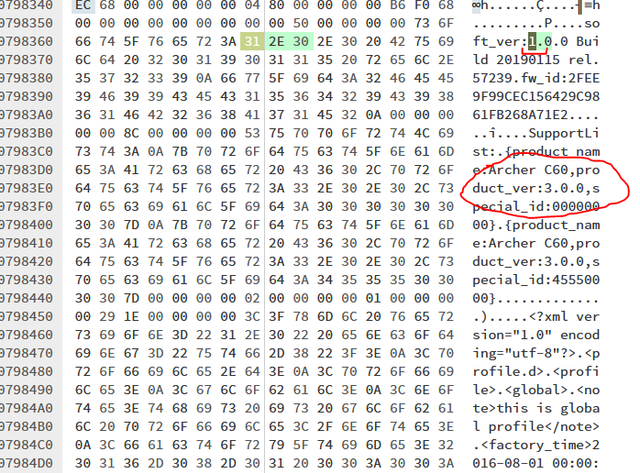
Na naklejkach mam wszędzie v3 EU i na obudowie i w śrdoku. Soft wcześniej był także v3 oryginalny... a ten co wgrywałem teraz jak pisałem stąd https://static.tp-link.com/2019/201902/ … 190115.zip zaciągnąłem pytanie czy jego można wgrać przez tftp.

EDIT:
Czy jak zmienię na 3 w hex to nie uwalę tego routera wink?? Bo wersja się zgadza...

https://i.ibb.co/kchkBMx/1.png

5

(22 odpowiedzi, napisanych Oprogramowanie / Software)

Kurde było wgrane oryginalne oprogramowanie i chciałem podmienić sobie na openwrt i już nie wstał. Potem każda podmiana na cokolwiek innego echo... Wgrałem mu oryginalny soft stąd ale też nie wstaje...
https://www.tp-link.com/no/support/down … /#Firmware

Wywala mi błąd przy wgrywaniu...

U-Boot 1.1.4-gd490e1c1-dirty (Aug 21 2019 - 18:44:04)

ap151 - Dragonfly 1.0

DRAM:  64 MB
Top of RAM usable for U-Boot at: 84000000
Reserving 402k for U-Boot at: 83f98000
Reserving 32832k for malloc() at: 81f88000
Reserving 44 Bytes for Board Info at: 81f87fd4
Reserving 36 Bytes for Global Data at: 81f87fb0
Reserving 128k for boot params() at: 81f67fb0
Stack Pointer at: 81f67f98
Now running in RAM - U-Boot at: 83f98000
Flash Manuf Id 0xef, DeviceId0 0x40, DeviceId1 0x17
flash size 8MB, sector count = 128
Flash:  8 MB
Using default environment

In:    serial
Out:   serial
Err:   serial
Net:   ath_gmac_enet_initialize...
No valid address in Flash. Using fixed address
ath_gmac_enet_initialize: reset mask:c02200
Dragonfly----> S27 PHY *
: cfg1 0x80000000 cfg2 0x7114
eth0: 00:03:7f:09:0b:ad
athrs27_phy_setup ATHR_PHY_CONTROL 4 :1000
athrs27_phy_setup ATHR_PHY_SPEC_STAUS 4 :10
eth0 up
ATHRS27: resetting s27
ATHRS27: s27 reset done
: cfg1 0x800c0000 cfg2 0x7214
eth1: 00:03:7f:09:0b:ad
athrs27_phy_setup ATHR_PHY_CONTROL 0 :1000
athrs27_phy_setup ATHR_PHY_SPEC_STAUS 0 :50
athrs27_phy_setup ATHR_PHY_CONTROL 1 :1000
athrs27_phy_setup ATHR_PHY_SPEC_STAUS 1 :50
athrs27_phy_setup ATHR_PHY_CONTROL 2 :1000
athrs27_phy_setup ATHR_PHY_SPEC_STAUS 2 :50
athrs27_phy_setup ATHR_PHY_CONTROL 3 :1000
athrs27_phy_setup ATHR_PHY_SPEC_STAUS 3 :50
eth1 up
eth0, eth1
Setting 0x181162c0 to 0x82
Trying eth0
eth0 link down
FAIL
Trying eth1
enet1 port3 up
dup 1 speed 1000
Using eth1 device
TFTP from server 192.168.0.66; our IP address is 192.168.0.86
Filename 'tp_recovery.bin'.
Load address: 0x80800000
Loading: #################################################################
         #################################################################
         #################################################################
         #################################################################
         #################################################################
         #################################################################
         #################################################################
         #################################################################
         #################################################################
         #################################################################
         #################################################################
         #################################################################
         #################################################################
         #################################################################
         #################################################################
         #################################################################
         #################################################################
         #################################################################
         #################################################################
         #################################################################
         #################################################################
         #################################################################
         #################################################################
         #################################################################
done
Bytes transferred = 7982768 (79ceb0 hex)
Firmware recovery: FLASH_SIZE = 8 filesize = 0x79ceb0.
Reading Partition Table from NVRAM ... OK
Parsing Partition Table ... OK
File Length:7982768
fw type name : Cloud.
Firmware process common.
Image verify OK!
Firmware file Verify ok!
[Error]sysmgr_proinfo_buildStruct():  647 @ unknown id(device_name), skip it.
[Error]sysmgr_proinfo_buildStruct():  540 @ should be 2 args (1).
[Error]sysmgr_cfg_checkSupportList():  971 @ 00000000 NOT Match.
Firmwave supports, check OK.
 (curFw_ver, newFw_ver) == (3.0, 1.0)
[NM_Error](nm_checkSoftVer) 00960: Firmwave not supports, check failed.
[NM_Error](nm_checkUpdateContent) 01182: the firmware software version dismatche                                                                                                                                                             d
[NM_Error](nm_buildUpgradeStruct) 01274: checkUpdateContent failed.
Firmware Invalid!

6

(22 odpowiedzi, napisanych Oprogramowanie / Software)

Mam taki problem mianowicie obojętnie co bym nie wgrał cały czas mi restart robi... próbowałem Gargoyle, Openwrt i wszędzie ten sam efekt:

U-Boot 1.1.4-gd490e1c1-dirty (Aug 21 2019 - 18:44:04)

ap151 - Dragonfly 1.0

DRAM:  64 MB
Top of RAM usable for U-Boot at: 84000000
Reserving 402k for U-Boot at: 83f98000
Reserving 32832k for malloc() at: 81f88000
Reserving 44 Bytes for Board Info at: 81f87fd4
Reserving 36 Bytes for Global Data at: 81f87fb0
Reserving 128k for boot params() at: 81f67fb0
Stack Pointer at: 81f67f98
Now running in RAM - U-Boot at: 83f98000
Flash Manuf Id 0xef, DeviceId0 0x40, DeviceId1 0x17
flash size 8MB, sector count = 128
Flash:  8 MB
Using default environment

In:    serial
Out:   serial
Err:   serial
Net:   ath_gmac_enet_initialize...
No valid address in Flash. Using fixed address
ath_gmac_enet_initialize: reset mask:c02200
Dragonfly----> S27 PHY *
: cfg1 0x80000000 cfg2 0x7114
eth0: 00:03:7f:09:0b:ad
athrs27_phy_setup ATHR_PHY_CONTROL 4 :1000
athrs27_phy_setup ATHR_PHY_SPEC_STAUS 4 :10
eth0 up
ATHRS27: resetting s27
ATHRS27: s27 reset done
: cfg1 0x800c0000 cfg2 0x7214
eth1: 00:03:7f:09:0b:ad
athrs27_phy_setup ATHR_PHY_CONTROL 0 :1000
athrs27_phy_setup ATHR_PHY_SPEC_STAUS 0 :50
athrs27_phy_setup ATHR_PHY_CONTROL 1 :1000
athrs27_phy_setup ATHR_PHY_SPEC_STAUS 1 :50
athrs27_phy_setup ATHR_PHY_CONTROL 2 :1000
athrs27_phy_setup ATHR_PHY_SPEC_STAUS 2 :50
athrs27_phy_setup ATHR_PHY_CONTROL 3 :1000
athrs27_phy_setup ATHR_PHY_SPEC_STAUS 3 :50
eth1 up
eth0, eth1
Setting 0x181162c0 to 0x82
Trying eth0
eth0 link down
FAIL
Trying eth1
enet1 port3 up
dup 1 speed 1000
Using eth1 device
TFTP from server 192.168.0.66; our IP address is 192.168.0.86
Filename 'tp_recovery.bin'.
Load address: 0x80800000
Loading: #################################################################
         #################################################################
         #################################################################
         #################################################################
         #################################################################
         #################################################################
         #################################################################
         #################################################################
         #################################################################
         #################################################################
         #################################################################
         #################################################################
         #################################################################
         #################################################################
         #################################################################
         #################################################################
         #################################################################
         #################################################################
         #################################################################
         #################################################################
         #########################
done
Bytes transferred = 6782389 (677db5 hex)
Firmware recovery: FLASH_SIZE = 8 filesize = 0x677db5.
Reading Partition Table from NVRAM ... OK
Parsing Partition Table ... OK
File Length:6782389
fw type name : .
Firmware process common.
Image verify OK!
Firmware file Verify ok!
[Error]sysmgr_proinfo_buildStruct():  647 @ unknown id(device_name), skip it.
[Error]sysmgr_proinfo_buildStruct():  540 @ should be 2 args (1).
[Error]sysmgr_cfg_checkSupportList():  971 @ 42520000 NOT Match.
Firmwave supports, check OK.
Firmware Recovery check ok!
Firmware Checking Passed.
set integer flag to 0.
######################################################################
#######################################
Done.
set integer flag to 1.
All Done!

U-Boot 1.1.4-gd490e1c1-dirty (Aug 21 2019 - 18:44:04)

ap151 - Dragonfly 1.0

DRAM:  64 MB
Top of RAM usable for U-Boot at: 84000000
Reserving 402k for U-Boot at: 83f98000
Reserving 32832k for malloc() at: 81f88000
Reserving 44 Bytes for Board Info at: 81f87fd4
Reserving 36 Bytes for Global Data at: 81f87fb0
Reserving 128k for boot params() at: 81f67fb0
Stack Pointer at: 81f67f98
Now running in RAM - U-Boot at: 83f98000
Flash Manuf Id 0xef, DeviceId0 0x40, DeviceId1 0x17
flash size 8MB, sector count = 128
Flash:  8 MB
Using default environment

In:    serial
Out:   serial
Err:   serial
Net:   ath_gmac_enet_initialize...
No valid address in Flash. Using fixed address
ath_gmac_enet_initialize: reset mask:c02200
Dragonfly----> S27 PHY *
: cfg1 0x80000000 cfg2 0x7114
eth0: 00:03:7f:09:0b:ad
athrs27_phy_setup ATHR_PHY_CONTROL 4 :1000
athrs27_phy_setup ATHR_PHY_SPEC_STAUS 4 :10
eth0 up
ATHRS27: resetting s27
ATHRS27: s27 reset done
: cfg1 0x800c0000 cfg2 0x7214
eth1: 00:03:7f:09:0b:ad
athrs27_phy_setup ATHR_PHY_CONTROL 0 :1000
athrs27_phy_setup ATHR_PHY_SPEC_STAUS 0 :50
athrs27_phy_setup ATHR_PHY_CONTROL 1 :1000
athrs27_phy_setup ATHR_PHY_SPEC_STAUS 1 :50
athrs27_phy_setup ATHR_PHY_CONTROL 2 :1000
athrs27_phy_setup ATHR_PHY_SPEC_STAUS 2 :50
athrs27_phy_setup ATHR_PHY_CONTROL 3 :1000
athrs27_phy_setup ATHR_PHY_SPEC_STAUS 3 :50
eth1 up
eth0, eth1
Setting 0x181162c0 to 0x82
Reading Partition Table from NVRAM ... OK
Parsing Partition Table ... OK
factory boot check integer ok.
load fs uboot at 0x10000.
Autobooting in 1 seconds
## Starting application at 0x80010000 ...


U-Boot 1.1.4-gd490e1c1-dirty (Aug 21 2019 - 18:43:52)

ap151 - Dragonfly 1.0

DRAM:  64 MB
Top of RAM usable for U-Boot at: 84000000
Reserving 120k for U-Boot at: 83fe0000
Reserving 32832k for malloc() at: 81fd0000
Reserving 44 Bytes for Board Info at: 81fcffd4
Reserving 36 Bytes for Global Data at: 81fcffb0
Reserving 128k for boot params() at: 81faffb0
Stack Pointer at: 81faff98
Now running in RAM - U-Boot at: 83fe0000
Flash Manuf Id 0xef, DeviceId0 0x40, DeviceId1 0x17
flash size 8MB, sector count = 128
Flash:  8 MB
Using default environment

In:    serial
Out:   serial
Err:   serial
Net:   ath_gmac_enet_initialize...
No valid address in Flash. Using fixed address
ath_gmac_enet_initialize: reset mask:c02200
Dragonfly----> S27 PHY *
: cfg1 0x80000000 cfg2 0x7114
eth0: 00:03:7f:09:0b:ad
athrs27_phy_setup ATHR_PHY_CONTROL 4 :1000
athrs27_phy_setup ATHR_PHY_SPEC_STAUS 4 :10
eth0 up
ATHRS27: resetting s27
ATHRS27: s27 reset done
: cfg1 0x800c0000 cfg2 0x7214
eth1: 00:03:7f:09:0b:ad
athrs27_phy_setup ATHR_PHY_CONTROL 0 :1000
athrs27_phy_setup ATHR_PHY_SPEC_STAUS 0 :10
athrs27_phy_setup ATHR_PHY_CONTROL 1 :1000
athrs27_phy_setup ATHR_PHY_SPEC_STAUS 1 :10
athrs27_phy_setup ATHR_PHY_CONTROL 2 :1000
athrs27_phy_setup ATHR_PHY_SPEC_STAUS 2 :10
athrs27_phy_setup ATHR_PHY_CONTROL 3 :1000
athrs27_phy_setup ATHR_PHY_SPEC_STAUS 3 :10
eth1 up
eth0, eth1
Setting 0x181162c0 to 0x82
Hit any key to stop autoboot:  0
## Booting image at 9f030000 ...
   Image Name:   MIPS OpenWrt Linux-4.14.187
   Created:      2020-07-30  19:43:27 UTC
   Image Type:   MIPS Linux Kernel Image (lzma compressed)
   Data Size:    1596511 Bytes =  1.5 MB
   Load Address: 80060000
   Entry Point:  80060000
   Verifying Checksum at 0x9f030040 ...OK
   Uncompressing Kernel Image ... OK
No initrd
## Transferring control to Linux (at address 80060000) ...
## Giving linux memsize in bytes, 67108864

Starting kernel ...

[    0.000000] Linux version 4.14.187 (cezary@eko.one.pl) (gcc version 7.5.0 (OpenWrt GCC 7.5.0 r10707-75d11f665c)) #0 Fri Jul 10 11:55:54 2020
[    0.000000] bootconsole [early0] enabled
[    0.000000] CPU0 revision is: 00019750 (MIPS 74Kc)
[    0.000000] MIPS: machine is TP-Link Archer C60 v3
[    0.000000] SoC: Qualcomm Atheros QCA956X ver 1 rev 0
[    0.000000] Determined physical RAM map:
[    0.000000]  memory: 04000000 @ 00000000 (usable)
[    0.000000] Initrd not found or empty - disabling initrd
[    0.000000] Primary instruction cache 64kB, VIPT, 4-way, linesize 32 bytes.
[    0.000000] Primary data cache 32kB, 4-way, VIPT, cache aliases, linesize 32 bytes
[    0.000000] Zone ranges:
[    0.000000]   Normal   [mem 0x0000000000000000-0x0000000003ffffff]
[    0.000000] Movable zone start for each node
[    0.000000] Early memory node ranges
[    0.000000]   node   0: [mem 0x0000000000000000-0x0000000003ffffff]
[    0.000000] Initmem setup node 0 [mem 0x0000000000000000-0x0000000003ffffff]
[    0.000000] random: get_random_bytes called from 0x804ff740 with crng_init=0
[    0.000000] Built 1 zonelists, mobility grouping on.  Total pages: 16256
[    0.000000] Kernel command line: console=ttyS0,115200n8 rootfstype=squashfs,jffs2
[    0.000000] PID hash table entries: 256 (order: -2, 1024 bytes)
[    0.000000] Dentry cache hash table entries: 8192 (order: 3, 32768 bytes)
[    0.000000] Inode-cache hash table entries: 4096 (order: 2, 16384 bytes)
[    0.000000] Writing ErrCtl register=00000000
[    0.000000] Readback ErrCtl register=00000000
[    0.000000] Memory: 58332K/65536K available (4030K kernel code, 161K rwdata, 532K rodata, 1220K init, 212K bss, 7204K reserved, 0K cma-reserved)
[    0.000000] SLUB: HWalign=32, Order=0-3, MinObjects=0, CPUs=1, Nodes=1
[    0.000000] NR_IRQS: 51
[    0.000000] CPU clock: 775.000 MHz
[    0.000000] clocksource: MIPS: mask: 0xffffffff max_cycles: 0xffffffff, max_idle_ns: 4932285024 ns
[    0.000007] sched_clock: 32 bits at 387MHz, resolution 2ns, wraps every 5541893118ns
[    0.008222] Calibrating delay loop... 385.84 BogoMIPS (lpj=1929216)
[    0.074772] pid_max: default: 32768 minimum: 301
[    0.079794] Mount-cache hash table entries: 1024 (order: 0, 4096 bytes)
[    0.086777] Mountpoint-cache hash table entries: 1024 (order: 0, 4096 bytes)
[    0.097696] clocksource: jiffies: mask: 0xffffffff max_cycles: 0xffffffff, max_idle_ns: 19112604462750000 ns
[    0.108094] futex hash table entries: 256 (order: -1, 3072 bytes)
[    0.114591] pinctrl core: initialized pinctrl subsystem
[    0.122143] NET: Registered protocol family 16
[    0.129720] PCI host bridge /ahb/pcie-controller@18250000 ranges:
[    0.136198]  MEM 0x0000000012000000..0x0000000013ffffff
[    0.141701]   IO 0x0000000000000000..0x0000000000000000
[    0.161293] PCI host bridge to bus 0000:00
[    0.165621] pci_bus 0000:00: root bus resource [mem 0x12000000-0x13ffffff]
[    0.172906] pci_bus 0000:00: root bus resource [io  0x0000]
[    0.178776] pci_bus 0000:00: root bus resource [??? 0x00000000 flags 0x0]
[    0.185938] pci_bus 0000:00: No busn resource found for root bus, will use [bus 00-ff]
[    0.194689] pci 0000:00:00.0: BAR 0: assigned [mem 0x12000000-0x121fffff 64bit]
[    0.204993] clocksource: Switched to clocksource MIPS
[    0.211199] NET: Registered protocol family 2
[    0.216575] TCP established hash table entries: 1024 (order: 0, 4096 bytes)
[    0.223927] TCP bind hash table entries: 1024 (order: 0, 4096 bytes)
[    0.230680] TCP: Hash tables configured (established 1024 bind 1024)
[    0.237519] UDP hash table entries: 256 (order: 0, 4096 bytes)
[    0.243687] UDP-Lite hash table entries: 256 (order: 0, 4096 bytes)
[    0.250544] NET: Registered protocol family 1
[    0.257711] Crashlog allocated RAM at address 0x3f00000
[    0.264371] workingset: timestamp_bits=30 max_order=14 bucket_order=0
[    0.275466] squashfs: version 4.0 (2009/01/31) Phillip Lougher
[    0.281607] jffs2: version 2.2 (NAND) (SUMMARY) (LZMA) (RTIME) (CMODE_PRIORITY) (c) 2001-2006 Red Hat, Inc.
[    0.300100] io scheduler noop registered
[    0.304238] io scheduler deadline registered (default)
[    0.311389] pinctrl-single 1804002c.pinmux: 544 pins at pa b804002c size 68
[    0.319698] Serial: 8250/16550 driver, 16 ports, IRQ sharing enabled
[    0.328476] console [ttyS0] disabled
[    0.332278] 18020000.uart: ttyS0 at MMIO 0x18020000 (irq = 9, base_baud = 1562500) is a 16550A
[    0.341413] console [ttyS0] enabled
[    0.341413] console [ttyS0] enabled
[    0.348978] bootconsole [early0] disabled
[    0.348978] bootconsole [early0] disabled
[    0.373873] m25p80 spi0.0: s25fl064k (8192 Kbytes)
[    0.378920] 6 fixed-partitions partitions found on MTD device spi0.0
[    0.385497] Creating 6 MTD partitions on "spi0.0":
[    0.390453] 0x000000000000-0x00000001fb00 : "factory-boot"
[    0.396827] 0x00000001fb00-0x000000020000 : "mac"
[    0.402311] 0x000000020000-0x000000030000 : "u-boot"
[    0.408128] 0x000000030000-0x0000007d0000 : "firmware"
[    0.416386] 2 uimage-fw partitions found on MTD device firmware
[    0.422502] Creating 2 MTD partitions on "firmware":
[    0.427684] 0x000000000000-0x000000190000 : "kernel"
[    0.433425] 0x000000190000-0x0000007a0000 : "rootfs"
[    0.439232] mtd: device 5 (rootfs) set to be root filesystem
[    0.445164] 1 squashfs-split partitions found on MTD device rootfs
[    0.451550] 0x000000680000-0x0000007a0000 : "rootfs_data"
[    0.457762] 0x0000007d0000-0x0000007f0000 : "tplink"
[    0.463534] 0x0000007f0000-0x000000800000 : "art"
[    0.470049] libphy: Fixed MDIO Bus: probed
[    0.816090] ag71xx 19000000.eth: Could not connect to PHY device. Deferring probe.
[    1.495345] libphy: ag71xx_mdio: probed
[    1.500008] libphy: ar8xxx-mdio: probed
[    1.507976] switch0: Atheros AR8229 rev. 1 switch registered on mdio-bus.0
[    1.580403] ag71xx 1a000000.eth: connected to PHY at fixed-0:00 [uid=00000000, driver=Generic PHY]
[    1.590233] eth0: Atheros AG71xx at 0xba000000, irq 5, mode: gmii
[    1.598760] NET: Registered protocol family 10
[    1.608199] Segment Routing with IPv6
[    1.612065] NET: Registered protocol family 17
[    1.616760] bridge: filtering via arp/ip/ip6tables is no longer available by default. Update your scripts to load br_netfilter if you need this.
[    1.630160] 8021q: 802.1Q VLAN Support v1.8
[    1.980669] ag71xx 19000000.eth: connected to PHY at mdio-bus.0:1f:04 [uid=004dd042, driver=Generic PHY]
[    1.991283] eth1: Atheros AG71xx at 0xb9000000, irq 4, mode: mii
[    1.998095] hctosys: unable to open rtc device (rtc0)
[    2.007505] VFS: Mounted root (squashfs filesystem) readonly on device 31:5.
[    2.021597] Freeing unused kernel memory: 1220K
[    2.026305] This architecture does not have kernel memory protection.
[    2.465003] random: fast init done
[    2.733007] init: Console is alive
[    2.736775] init: - watchdog -
[    4.185691] kmodloader: loading kernel modules from /etc/modules-boot.d/*
[    4.277162] kmodloader: done loading kernel modules from /etc/modules-boot.d/*
[    4.287076] init: - preinit -
[    5.072313] random: jshn: uninitialized urandom read (4 bytes read)
[    5.184219] random: jshn: uninitialized urandom read (4 bytes read)
[    5.326836] random: jshn: uninitialized urandom read (4 bytes read)
[    6.305593] IPv6: ADDRCONF(NETDEV_UP): eth0: link is not ready
[    6.311679] IPv6: ADDRCONF(NETDEV_UP): eth0.1: link is not ready
[    6.338209] urandom_read: 4 callbacks suppressed
[    6.338216] random: procd: uninitialized urandom read (4 bytes read)
Press the [f] key and hit [enter] to enter failsafe mode
Press the [1], [2], [3] or [4] key and hit [enter] to select the debug level
[    7.396197] eth0: link up (1000Mbps/Full duplex)
[    7.400994] IPv6: ADDRCONF(NETDEV_CHANGE): eth0: link becomes ready
[    7.407796] IPv6: ADDRCONF(NETDEV_CHANGE): eth0.1: link becomes ready
[    9.568978] mount_root: jffs2 not ready yet, using temporary tmpfs overlay
[    9.624528] urandom-seed: Seed file not found (/etc/urandom.seed)
[    9.705938] eth0: link down
[    9.727711] procd: - early -
[    9.730779] procd: - watchdog -
[   10.339620] procd: - watchdog -
[   10.343136] procd: - ubus -
[   10.403623] random: ubusd: uninitialized urandom read (4 bytes read)
[   10.443333] random: ubusd: uninitialized urandom read (4 bytes read)
[   10.451135] procd: - init -
Please press Enter to activate this console.
[   11.042525] kmodloader: loading kernel modules from /etc/modules.d/*
[   11.136814] tun: Universal TUN/TAP device driver, 1.6
[   11.156091] gre: GRE over IPv4 demultiplexor driver
[   11.163025] ip_gre: GRE over IPv4 tunneling driver
[   11.250469] ip6_tables: (C) 2000-2006 Netfilter Core Team
[   11.282609] nf_conntrack version 0.5.0 (1024 buckets, 4096 max)
[   11.421748] urngd: v1.0.2 started.
[   11.482350] Mirror/redirect action on
[   11.507446] u32 classifier
[   11.510250]     input device check on
[   11.514029]     Actions configured
[   11.555903] GACT probability on
[   11.575161] Simple TC action Loaded
[   11.669148] Loading modules backported from Linux version v4.19.120-0-gfdc072324f3c
[   11.677105] Backport generated by backports.git v4.19.120-1-0-g60c3a249
[   11.748872] Ebtables v2.0 registered
[   11.781066] ip_tables: (C) 2000-2006 Netfilter Core Team
[   11.898978] random: crng init done
[   12.290739] wireguard: WireGuard 1.0.20200611 loaded. See [url=http://www.wireguard.com]www.wireguard.com[/url] for information.
[   12.299504] wireguard: Copyright (C) 2015-2019 Jason A. Donenfeld <Jason@zx2c4.com>. All Rights Reserved.
[   12.415911] xt_time: kernel timezone is -0000
[   12.569837] PPP generic driver version 2.4.2
[   12.586350] NET: Registered protocol family 24
[   12.596284] PPTP driver version 0.8.5
[   12.667818] ath10k 4.19 driver, optimized for CT firmware, probing pci device: 0x56.
[   12.685930] PCI: Enabling device 0000:00:00.0 (0000 -> 0002)
[   12.692073] ath10k_pci 0000:00:00.0: pci irq legacy oper_irq_mode 1 irq_mode 0 reset_mode 0
[   12.905152] ath10k_pci 0000:00:00.0: Direct firmware load for ath10k/fwcfg-pci-0000:00:00.0.txt failed with error -2
[   12.916060] ath10k_pci 0000:00:00.0: Falling back to user helper
[   13.094408] firmware ath10k!fwcfg-pci-0000:00:00.0.txt: firmware_loading_store: map pages failed
[   13.103781] ath10k_pci 0000:00:00.0: Direct firmware load for ath10k/pre-cal-pci-0000:00:00.0.bin failed with error -2
[   13.114868] ath10k_pci 0000:00:00.0: Falling back to user helper
[   13.533939] ath10k_pci 0000:00:00.0: Direct firmware load for ath10k/QCA9888/hw2.0/ct-firmware-5.bin failed with error -2
[   13.545305] ath10k_pci 0000:00:00.0: Falling back to user helper
[   13.678881] firmware ath10k!QCA9888!hw2.0!ct-firmware-5.bin: firmware_loading_store: map pages failed
[   13.688705] ath10k_pci 0000:00:00.0: Direct firmware load for ath10k/QCA9888/hw2.0/ct-firmware-2.bin failed with error -2
[   13.700062] ath10k_pci 0000:00:00.0: Falling back to user helper
[   13.875449] firmware ath10k!QCA9888!hw2.0!ct-firmware-2.bin: firmware_loading_store: map pages failed
[   13.885270] ath10k_pci 0000:00:00.0: Direct firmware load for ath10k/QCA9888/hw2.0/firmware-6.bin failed with error -2
[   13.896360] ath10k_pci 0000:00:00.0: Falling back to user helper
[   14.071841] firmware ath10k!QCA9888!hw2.0!firmware-6.bin: firmware_loading_store: map pages failed
[   14.657753] ath10k_pci 0000:00:00.0: qca9888 hw2.0 target 0x01000000 chip_id 0x00000000 sub 0000:0000
[   14.667326] ath10k_pci 0000:00:00.0: kconfig debug 0 debugfs 1 tracing 0 dfs 1 testmode 0
[   14.687363] ath10k_pci 0000:00:00.0: firmware ver 10.4b-ct-9888-fW-012-17ba98334 api 5 features mfp,peer-flow-ctrl,txstatus-noack,wmi-10.x-CT,ratemask-CT,regdump-CT,txrate-CT,flush-all-CT,pingpong-CT,ch-regs-CT,nop-CT,set-special-CT,tx-rc-CT,cust-stats-CT,txrate2-CT,beacon-cb-CT,wmi-block-ack-CT,wmi-bcn-rc-CT crc32 a08ba414
[   15.023127] ath10k_pci 0000:00:00.0: failed to fetch board data for bus=pci,bmi-chip-id=0,bmi-board-id=20 from ath10k/QCA9888/hw2.0/board-2.bin
[   15.036988] ath10k_pci 0000:00:00.0: board_file api 1 bmi_id 0:20 crc32 d7d1c114
[   17.078588] ath10k_pci 0000:00:00.0: 10.4 wmi init: vdevs: 16  peers: 48  tid: 96
[   17.086394] ath10k_pci 0000:00:00.0: msdu-desc: 2500  skid: 32
[   17.119480] ath10k_pci 0000:00:00.0: wmi print 'P 48/48 V 16 K 144 PH 176 T 186  msdu-desc: 2500  sw-crypt: 0 ct-sta: 0'
[   17.130787] ath10k_pci 0000:00:00.0: wmi print 'free: 117888 iram: 22644 sram: 26276'
[   17.343362] ath10k_pci 0000:00:00.0: htt-ver 2.2 wmi-op 6 htt-op 4 cal pre-cal-file max-sta 32 raw 0 hwcrypto 1
[   17.449063] Data bus error, epc == 8022e828, ra == 83250ec0
[   17.454819] Oops[#1]:
[   17.457169] CPU: 0 PID: 5 Comm: kworker/u2:0 Not tainted 4.14.187 #0
[   17.463733] Workqueue: ath10k_wq 0x82c1bc04 [ath10k_core@82c00000+0x5dcf0]
[   17.470827] task: 83821680 task.stack: 83836000
[   17.475502] $ 0   : 00000000 80630000 deadc0de 00000000
[   17.480904] $ 4   : b2040050 00040050 1100f800 00040054
[   17.486307] $ 8   : 83837fe0 0000f800 00000400 0000000a
[   17.491702] $12   : 00058bb1 9073f5aa 000000bd 280c0900
[   17.497104] $16   : 82c61500 00040050 82c61500 ffff92c9
[   17.502507] $20   : 804f0000 ffffffff 00000001 fffffffe
[   17.507902] $24   : 804db040 663512cc
[   17.513304] $28   : 83836000 83837d80 804e0000 83250ec0
[   17.518707] Hi    : 00058bb1
[   17.521674] Lo    : 9073f5aa
[   17.524641] epc   : 8022e828 0x8022e828
[   17.528604] ra    : 83250ec0 0x83250ec0 [ath10k_pci@83250000+0x8a30]
[   17.535157] Status: 1100f803 KERNEL EXL IE
[   17.539478] Cause : 0080001c (ExcCode 07)
[   17.543608] PrId  : 00019750 (MIPS 74Kc)
[   17.547648] Modules linked in: ath10k_pci(+) ath10k_core ath pptp pppox ppp_generic nf_nat_pptp nf_conntrack_pptp mac80211 iptable_nat ipt_REJECT ipt_MASQUERADE ebtable_nat ebtable_filter ebtable_broute cfg80211 xt_time xt_tcpudp xt_tcpmss xt_string xt_statistic xt_state xt_recent xt_quota xt_pkttype xt_owner xt_nat xt_multiport xt_mark xt_mac xt_limit xt_length xt_iprange xt_hl xt_helper xt_ecn xt_dscp xt_conntrack xt_connmark xt_connlimit xt_connbytes xt_comment xt_bpf xt_addrtype xt_TCPMSS xt_REDIRECT xt_NETMAP xt_LOG xt_HL xt_FLOWOFFLOAD xt_DSCP xt_CT xt_CLASSIFY wireguard ts_fsm ts_bm thermal_sys slhc nf_reject_ipv4 nf_nat_tftp nf_nat_snmp_basic nf_nat_sip nf_nat_redirect nf_nat_proto_gre nf_nat_masquerade_ipv4 nf_nat_irc nf_conntrack_ipv4 nf_nat_ipv4 nf_nat_h323 nf_nat_ftp nf_nat_amanda nf_log_ipv4
[   17.621308]  nf_flow_table_hw nf_flow_table nf_defrag_ipv4 nf_conntrack_tftp nf_conntrack_snmp nf_conntrack_sip nf_conntrack_rtcache nf_conntrack_proto_gre nf_conntrack_irc nf_conntrack_h323 nf_conntrack_ftp nf_conntrack_broadcast ts_kmp nf_conntrack_amanda iptable_raw iptable_mangle iptable_filter ipt_ECN ip6table_raw ip_tables hwmon ebtables ebt_vlan ebt_stp ebt_redirect ebt_pkttype ebt_mark_m ebt_mark ebt_limit ebt_among ebt_802_3 crc_ccitt compat sch_teql sch_sfq sch_red sch_prio sch_pie sch_multiq sch_gred sch_fq sch_dsmark sch_codel em_text em_nbyte em_meta em_cmp act_simple act_police act_pedit act_ipt act_gact act_csum libcrc32c sch_tbf sch_ingress sch_htb sch_hfsc em_u32 cls_u32 cls_tcindex cls_route cls_matchall cls_fw cls_flow cls_basic act_skbedit act_mirred xt_weburl xt_webmon xt_timerange
[   17.694789]  xt_bandwidth ip6table_nat nf_conntrack_ipv6 nf_defrag_ipv6 nf_nat_ipv6 ip6t_NPT ip6t_MASQUERADE nf_nat_masquerade_ipv6 nf_nat nf_conntrack nf_log_ipv6 nf_log_common ip6table_mangle ip6table_filter ip6_tables ip6t_REJECT x_tables nf_reject_ipv6 ip_gre gre ip6_udp_tunnel udp_tunnel ip_tunnel tun gpio_button_hotplug crc32c_generic crypto_hash
[   17.727041] Process kworker/u2:0 (pid: 5, threadinfo=83836000, task=83821680, tls=00000000)
[   17.735655] Stack : 83821680 07400000 804e0000 00000002 00000002 82c61500 82c62a9c 82c61500
[   17.744283]         82c61500 83254534 82c61500 00000002 82c61500 83250bec 82c61500 82c61500
[   17.752912]         82c61500 82c62a9c 82c62adc 00000000 804f0000 83254684 82c61500 832546cc
[   17.761540]         00000100 00000200 804f0000 82c61500 82c62428 83253b5c 82c61500 82c62a9c
[   17.770168]         82c62adc 00000000 804f0000 82c61500 82c62428 82c1bbdc 00000006 00000004
[   17.778797]         ...
[   17.781324] Call Trace:
[   17.781502] [<83254534>] 0x83254534 [ath10k_pci@83250000+0x8a30]
[   17.790275] [<83250bec>] 0x83250bec [ath10k_pci@83250000+0x8a30]
[   17.796602] [<83254684>] 0x83254684 [ath10k_pci@83250000+0x8a30]
[   17.802829] [<832546cc>] 0x832546cc [ath10k_pci@83250000+0x8a30]
[   17.809081] [<83253b5c>] 0x83253b5c [ath10k_pci@83250000+0x8a30]
[   17.815410] [<82c1bbdc>] 0x82c1bbdc [ath10k_core@82c00000+0x5dcf0]
[   17.821826] [<82c1c6f4>] 0x82c1c6f4 [ath10k_core@82c00000+0x5dcf0]
[   17.828239] [<8044accc>] 0x8044accc
[   17.831946] [<8009a094>] 0x8009a094
[   17.835763] [<8009a560>] 0x8009a560
[   17.839553] [<8009a240>] 0x8009a240
[   17.843152] [<8009f934>] 0x8009f934
[   17.846754] [<8009f80c>] 0x8009f80c
[   17.850413] [<8009f80c>] 0x8009f80c
[   17.854043] [<80065458>] 0x80065458
[   17.857645]
[   17.859178] Code: 00000000  8c820000  0000000f <03e00008> 00000000  0808ba08  00000000  aca40000  03e00008
[   17.869248]
[   17.870831] ---[ end trace d9dd2297967f8067 ]---
[   17.877139] Kernel panic - not syncing: Fatal exception
[   17.883185] Rebooting in 1 seconds..

7

(11 odpowiedzi, napisanych Sprzęt / Hardware)

Odpalił lol masakra 4 dni bite a wystarczyło usunąć plik ;( Dzięki bardzo po raz kolejny...

8

(11 odpowiedzi, napisanych Sprzęt / Hardware)

Nie mam... wifi po restarcie.
wireless sam się nie zrobił po prostu jak wgrałem oprogramowanie chciałem połączyć się po wifi ze swoją siecią jako AP Client i wykonałem instrukcje z tego linku:
https://eko.one.pl/?p=openwrt-konfiguracja

ale nie wstaje w ogóle... a później to już moje kombinacje Więc stwierdziłem i spróbowałem wrzucić by rozsiewał sieć Openwrt standardowo ale też lipa.

9

(11 odpowiedzi, napisanych Sprzęt / Hardware)

Przepraszam Cezary ale nie bardzo łapie tzn. co mam zły wsad wireless?? czy nie będzie działać WiFi na tym sprzęcie z openwrt ??

10

(11 odpowiedzi, napisanych Sprzęt / Hardware)

Już ostatnie pytanie... czytałem na stronie że nie działa wifi i gdzieś tam na forum pisali by dograć sterowniki b43-legacy ręcznie tak też zrobiłem niby ładuje sterowniki ale dostaję błąd:
37.012354] b43-phy0 ERROR: No 2GHz EPA gain table available for this devic

[   16.339472] b43-phy0: Broadcom 43227 WLAN found (core revision 30)
[   16.378317] b43-phy0: Found PHY: Analog 9, Type 4 (N), Revision 16
[   16.384722] b43-phy0: Found Radio: Manuf 0x17F, ID 0x2057, Revision 9, Version 1
[   16.406984] Broadcom 43xx driver loaded [ Features: PNL ]
[   16.596915] Broadcom 43xx-legacy driver loaded [ Features: PLD ]
[   16.680256] usbcore: registered new interface driver brcmfmac
[   16.866743] kmodloader: done loading kernel modules from /etc/modules.d/*
[   32.079993] br-lan: port 1(eth0.1) entered blocking state
[   32.085680] br-lan: port 1(eth0.1) entered disabled state
[   32.091832] device eth0.1 entered promiscuous mode
[   32.096808] device eth0 entered promiscuous mode
[   32.129192] br-lan: port 1(eth0.1) entered blocking state
[   32.134816] br-lan: port 1(eth0.1) entered forwarding state
[   32.140936] IPv6: ADDRCONF(NETDEV_UP): br-lan: link is not ready
[   33.067529] IPv6: ADDRCONF(NETDEV_CHANGE): br-lan: link becomes ready
[   36.970291] b43-phy0: Loading firmware version 666.2 (2011-02-23 01:15:07)
[   37.012354] b43-phy0 ERROR: No 2GHz EPA gain table available for this device
[   37.030802] b43-phy0 ERROR: No 2GHz EPA gain table available for this device
[   37.165462] IPv6: ADDRCONF(NETDEV_UP): wlan0: link is not ready
[   37.184236] br-lan: port 2(wlan0) entered blocking state
[   37.189807] br-lan: port 2(wlan0) entered disabled state
[   37.195899] device wlan0 entered promiscuous mode
[   37.238891] IPv6: ADDRCONF(NETDEV_CHANGE): wlan0: link becomes ready
[   37.245797] br-lan: port 2(wlan0) entered blocking state
[   37.251331] br-lan: port 2(wlan0) entered forwarding state

Czy jest na to jakieś lekarstwo czy zostaje wersja gołego switcha ?? wink

Tu jeszcze ifconfig i polecenie wifi:

root@OpenWrt:/# ifconfig
br-lan    Link encap:Ethernet  HWaddr A0:F3:C1:42:DF:13
          inet addr:192.168.1.1  Bcast:192.168.1.255  Mask:255.255.255.0
          inet6 addr: fe80::a2f3:c1ff:fe42:df13/64 Scope:Link
          inet6 addr: fd08:ae0c:e2e2::1/60 Scope:Global
          UP BROADCAST RUNNING MULTICAST  MTU:1500  Metric:1
          RX packets:0 errors:0 dropped:0 overruns:0 frame:0
          TX packets:14 errors:0 dropped:0 overruns:0 carrier:0
          collisions:0 txqueuelen:1000
          RX bytes:0 (0.0 B)  TX bytes:1828 (1.7 KiB)

eth0      Link encap:Ethernet  HWaddr A0:F3:C1:42:DF:13
          inet6 addr: fe80::a2f3:c1ff:fe42:df13/64 Scope:Link
          UP BROADCAST RUNNING MULTICAST  MTU:1500  Metric:1
          RX packets:0 errors:0 dropped:0 overruns:0 frame:0
          TX packets:34 errors:0 dropped:0 overruns:0 carrier:0
          collisions:0 txqueuelen:1000
          RX bytes:0 (0.0 B)  TX bytes:4813 (4.7 KiB)

eth0.1    Link encap:Ethernet  HWaddr A0:F3:C1:42:DF:13
          UP BROADCAST RUNNING MULTICAST  MTU:1500  Metric:1
          RX packets:0 errors:0 dropped:0 overruns:0 frame:0
          TX packets:14 errors:0 dropped:0 overruns:0 carrier:0
          collisions:0 txqueuelen:1000
          RX bytes:0 (0.0 B)  TX bytes:1828 (1.7 KiB)

lo        Link encap:Local Loopback
          inet addr:127.0.0.1  Mask:255.0.0.0
          inet6 addr: ::1/128 Scope:Host
          UP LOOPBACK RUNNING  MTU:65536  Metric:1
          RX packets:192 errors:0 dropped:0 overruns:0 frame:0
          TX packets:192 errors:0 dropped:0 overruns:0 carrier:0
          collisions:0 txqueuelen:1000
          RX bytes:13056 (12.7 KiB)  TX bytes:13056 (12.7 KiB)

wlan0     Link encap:Ethernet  HWaddr A0:F3:C1:42:DF:14
          inet6 addr: fe80::a2f3:c1ff:fe42:df14/64 Scope:Link
          UP BROADCAST RUNNING MULTICAST  MTU:1500  Metric:1
          RX packets:0 errors:0 dropped:0 overruns:0 frame:0
          TX packets:11 errors:0 dropped:0 overruns:0 carrier:0
          collisions:0 txqueuelen:1000
          RX bytes:0 (0.0 B)  TX bytes:1408 (1.3 KiB)

root@OpenWrt:/# wifi
root@OpenWrt:/# [  542.787902] device wlan0 left promiscuous mode
[  542.792775] br-lan: port 2(wlan0) entered disabled state
[  544.307942] b43-phy0: Loading firmware version 666.2 (2011-02-23 01:15:07)
[  544.352358] b43-phy0 ERROR: No 2GHz EPA gain table available for this device
[  544.370802] b43-phy0 ERROR: No 2GHz EPA gain table available for this device
[  544.505067] IPv6: ADDRCONF(NETDEV_UP): wlan0: link is not ready
[  544.524477] br-lan: port 2(wlan0) entered blocking state
[  544.530050] br-lan: port 2(wlan0) entered disabled state
[  544.536183] device wlan0 entered promiscuous mode
[  544.578912] IPv6: ADDRCONF(NETDEV_CHANGE): wlan0: link becomes ready
[  544.585866] br-lan: port 2(wlan0) entered blocking state
[  544.591393] br-lan: port 2(wlan0) entered forwarding state

root@OpenWrt:/#

wireless

config wifi-device 'radio1'
        option type 'mac80211'
        option channel '11'
        option hwmode '11g'
        option path 'pci0000:00/0000:00:00.0/0000:01:00.0/bcma0:1'
        option disabled '0'

config wifi-iface 'default_radio2'
        option device 'radio1'
        option network 'lan'
        option mode 'ap'
        option ssid 'OpenWrt'
        option encryption 'none'

11

(11 odpowiedzi, napisanych Sprzęt / Hardware)

yikes maskra, nie mam więcej pytań... tak to jest jak człowiek zamiast czytać zafiksuje się na problemie a nie na jego rozwiązaniu...

12

(11 odpowiedzi, napisanych Sprzęt / Hardware)

Dzisiaj siadłem do tego i chyba porażka... robiłem zgodnie z tym faq:
https://openwrt.org/toh/tp-link/td-w8960n

Flash using a Serial TTL adapter and CFE bootloader.
Setup a TFTP server on your computer.
Using the serial connection, stop the boot process by pressing any key when asked
Once you are on the CFE prompt do “flashimage hostip:image.bin” (example CFE > flashimage 192.168.1.2:firmware.bin)
The device should automatically reboot to OpenWrt

ale przy próbie wydania polecenia w cfe dostaję komunikat że błędna komenda:

CFE> flashimage 192.168.0.66:tp_recovery.bin
Invalid command: "flashimage"
Available commands: sm, dm, w, e, r, p, c, f, i, a, b, reset, help

*** command status = -1
CFE> help
Available commands:

sm                  Set memory or registers.
dm                  Dump memory or registers.
w                   Write the whole image start from beginning of the flash
e                   Erase [n]vram or [a]ll flash except bootrom
r                   Run program from flash image or from host depend on [f/h] flag
p                   Print boot line and board parameter info
c                   Change booline parameters
f                   Write image to the flash
i                   Erase persistent storage data
a                   Change board AFE ID
b                   Change board parameters
reset               Reset the board
help                Obtain help for CFE commands

For more information about a command, enter 'help command-name'
*** command status = 0
CFE> 

Czyli co nici z przejścia do openwrt??

13

(22 odpowiedzi, napisanych Oprogramowanie / Software)

Chodziło mi, że kiedyś w c6 musiałem użyć switcha żeby wgrać openwrt... I okazuje się że w c60 switch pod windą okazał się zbawieniem wink poszło od strzału...
Dzięki bardzo wink

14

(22 odpowiedzi, napisanych Oprogramowanie / Software)

Antywirus, wszystko wyłączyłem zezwoliłem na cały ruch sieciowy:

tftpd
https://naforum.zapodaj.net/thumbs/46ca46db8be7.png

ustawienia kart seciowej:
https://naforum.zapodaj.net/thumbs/4d35b00846a4.png

tftpd
https://naforum.zapodaj.net/thumbs/c3460ad1371e.png


i z konsoli:

U-Boot 1.1.4-gd490e1c1-dirty (Aug 21 2019 - 18:44:04)

ap151 - Dragonfly 1.0

DRAM:  64 MB
Top of RAM usable for U-Boot at: 84000000
Reserving 402k for U-Boot at: 83f98000
Reserving 32832k for malloc() at: 81f88000
Reserving 44 Bytes for Board Info at: 81f87fd4
Reserving 36 Bytes for Global Data at: 81f87fb0
Reserving 128k for boot params() at: 81f67fb0
Stack Pointer at: 81f67f98
Now running in RAM - U-Boot at: 83f98000
Flash Manuf Id 0xef, DeviceId0 0x40, DeviceId1 0x17
flash size 8MB, sector count = 128
Flash:  8 MB
Using default environment

In:    serial
Out:   serial
Err:   serial
Net:   ath_gmac_enet_initialize...
No valid address in Flash. Using fixed address
ath_gmac_enet_initialize: reset mask:c02200
Dragonfly----> S27 PHY *
: cfg1 0x80000000 cfg2 0x7114
eth0: 00:03:7f:09:0b:ad
athrs27_phy_setup ATHR_PHY_CONTROL 4 :1000
athrs27_phy_setup ATHR_PHY_SPEC_STAUS 4 :10
eth0 up
ATHRS27: resetting s27
ATHRS27: s27 reset done
: cfg1 0x800c0000 cfg2 0x7214
eth1: 00:03:7f:09:0b:ad
athrs27_phy_setup ATHR_PHY_CONTROL 0 :1000
athrs27_phy_setup ATHR_PHY_SPEC_STAUS 0 :50
athrs27_phy_setup ATHR_PHY_CONTROL 1 :1000
athrs27_phy_setup ATHR_PHY_SPEC_STAUS 1 :50
athrs27_phy_setup ATHR_PHY_CONTROL 2 :1000
athrs27_phy_setup ATHR_PHY_SPEC_STAUS 2 :50
athrs27_phy_setup ATHR_PHY_CONTROL 3 :1000
athrs27_phy_setup ATHR_PHY_SPEC_STAUS 3 :50
eth1 up
eth0, eth1
Setting 0x181162c0 to 0x82
Trying eth0
eth0 link down
FAIL
Trying eth1
eth1 link down
FAIL
Using eth1 device
TFTP from server 192.168.0.66; our IP address is 192.168.0.86
Filename 'tp_recovery.bin'.
Load address: 0x80800000
Loading: T T ## Starting application at 0x80010000 ...


U-Boot 1.1.4-gd490e1c1-dirty (Aug 21 2019 - 18:44:04)

ap151 - Dragonfly 1.0

DRAM:   0 kB
Top of RAM usable for U-Boot at: 80000000
Reserving 402k for U-Boot at: 7ff98000
Reserving 32832k for malloc() at: 7df88000
Reserving 44 Bytes for Board Info at: 7df87fd4
Reserving 36 Bytes for Global Data at: 7df87fb0
Reserving 128k for boot params() at: 7df67fb0
Stack Pointer at: 7df67f98

Kurde może trzeba by switcha jak przy c6 wrzucić między lapka a router ??

15

(22 odpowiedzi, napisanych Oprogramowanie / Software)

Oto chodzi że nie można nic wpisać właśnie w konsoli... nawet głupiego help czy pirintenv...
po prostu to wszystko się wczytuje i nic więcej nie można zrobić...

Przy próbie restartu próbuję wcisnąć reset i przytrzymać to dostaję takie coś:

FAIL
Trying eth1
eth1 link down
FAIL
Using eth1 device
TFTP from server 192.168.0.66; our IP address is 192.168.0.86
Filename 'tp_recovery.bin'.
Load address: 0x80800000
Loading: T T ## Starting application at 0x80010000 ...


U-Boot 1.1.4-gd490e1c1-dirty (Aug 21 2019 - 18:44:04)

ap151 - Dragonfly 1.0

DRAM:   0 kB
Top of RAM usable for U-Boot at: 80000000
Reserving 402k for U-Boot at: 7ff98000
Reserving 32832k for malloc() at: 7df88000
Reserving 44 Bytes for Board Info at: 7df87fd4
Reserving 36 Bytes for Global Data at: 7df87fb0
Reserving 128k for boot params() at: 7df67fb0
Stack Pointer at: 7df67f98


U-Boot 1.1.4-gd490e1c1-dirty (Aug 21 2019 - 18:44:04)

ap151 - Dragonfly 1.0

DRAM:  64 MB
Top of RAM usable for U-Boot at: 84000000
Reserving 402k for U-Boot at: 83f98000
Reserving 32832k for malloc() at: 81f88000
Reserving 44 Bytes for Board Info at: 81f87fd4
Reserving 36 Bytes for Global Data at: 81f87fb0
Reserving 128k for boot params() at: 81f67fb0
Stack Pointer at: 81f67f98
Now running in RAM - U-Boot at: 83f98000
Flash Manuf Id 0xef, DeviceId0 0x40, DeviceId1 0x17
flash size 8MB, sector count = 128
Flash:  8 MB
Using default environment

In:    serial
Out:   serial
Err:   serial
Net:   ath_gmac_enet_initialize...
No valid address in Flash. Using fixed address
ath_gmac_enet_initialize: reset mask:c02200
Dragonfly----> S27 PHY *
: cfg1 0x80000000 cfg2 0x7114
eth0: 00:03:7f:09:0b:ad
athrs27_phy_setup ATHR_PHY_CONTROL 4 :1000
athrs27_phy_setup ATHR_PHY_SPEC_STAUS 4 :10
eth0 up
ATHRS27: resetting s27
ATHRS27: s27 reset done
: cfg1 0x800c0000 cfg2 0x7214
eth1: 00:03:7f:09:0b:ad
athrs27_phy_setup ATHR_PHY_CONTROL 0 :1000
athrs27_phy_setup ATHR_PHY_SPEC_STAUS 0 :50
athrs27_phy_setup ATHR_PHY_CONTROL 1 :1000
athrs27_phy_setup ATHR_PHY_SPEC_STAUS 1 :50
athrs27_phy_setup ATHR_PHY_CONTROL 2 :1000
athrs27_phy_setup ATHR_PHY_SPEC_STAUS 2 :50
athrs27_phy_setup ATHR_PHY_CONTROL 3 :1000
athrs27_phy_setup ATHR_PHY_SPEC_STAUS 3 :50
eth1 up
eth0, eth1
Setting 0x181162c0 to 0x82
Trying eth0
eth0 link down
FAIL
Trying eth1
eth1 link down
FAIL
Using eth1 device
TFTP from server 192.168.0.66; our IP address is 192.168.0.86
Filename 'tp_recovery.bin'.
Load address: 0x80800000
Loading: T T ## Starting application at 0x80010000 ...


U-Boot 1.1.4-gd490e1c1-dirty (Aug 21 2019 - 18:44:04)

ap151 - Dragonfly 1.0

DRAM:   0 kB
Top of RAM usable for U-Boot at: 80000000
Reserving 402k for U-Boot at: 7ff98000
Reserving 32832k for malloc() at: 7df88000
Reserving 44 Bytes for Board Info at: 7df87fd4
Reserving 36 Bytes for Global Data at: 7df87fb0
Reserving 128k for boot params() at: 7df67fb0
Stack Pointer at: 7df67f98

IP w kompie mam ustawione na 192.168.0.66, brama 255.255.255.0 reszta puste.
Tftpd_64 odpalone w katalogu wrzucony plik tp_recovery.bin

16

(22 odpowiedzi, napisanych Oprogramowanie / Software)

Ok sierota ze mnie prędkosć nie ta była wink
Ok serial się odezwał ale nie wiem co dalej ;(??

U-Boot 1.1.4-gd490e1c1-dirty (Aug 21 2019 - 18:44:04)

ap151 - Dragonfly 1.0

DRAM:  64 MB
Top of RAM usable for U-Boot at: 84000000
Reserving 402k for U-Boot at: 83f98000
Reserving 32832k for malloc() at: 81f88000
Reserving 44 Bytes for Board Info at: 81f87fd4
Reserving 36 Bytes for Global Data at: 81f87fb0
Reserving 128k for boot params() at: 81f67fb0
Stack Pointer at: 81f67f98
Now running in RAM - U-Boot at: 83f98000
Flash Manuf Id 0xef, DeviceId0 0x40, DeviceId1 0x17
flash size 8MB, sector count = 128
Flash:  8 MB
Using default environment

In:    serial
Out:   serial
Err:   serial
Net:   ath_gmac_enet_initialize...
No valid address in Flash. Using fixed address
ath_gmac_enet_initialize: reset mask:c02200
Dragonfly----> S27 PHY *
: cfg1 0x80000000 cfg2 0x7114
eth0: 00:03:7f:09:0b:ad
athrs27_phy_setup ATHR_PHY_CONTROL 4 :1000
athrs27_phy_setup ATHR_PHY_SPEC_STAUS 4 :10
eth0 up
ATHRS27: resetting s27
ATHRS27: s27 reset done
: cfg1 0x800c0000 cfg2 0x7214
eth1: 00:03:7f:09:0b:ad
athrs27_phy_setup ATHR_PHY_CONTROL 0 :1000
athrs27_phy_setup ATHR_PHY_SPEC_STAUS 0 :50
athrs27_phy_setup ATHR_PHY_CONTROL 1 :1000
athrs27_phy_setup ATHR_PHY_SPEC_STAUS 1 :50
athrs27_phy_setup ATHR_PHY_CONTROL 2 :1000
athrs27_phy_setup ATHR_PHY_SPEC_STAUS 2 :50
athrs27_phy_setup ATHR_PHY_CONTROL 3 :1000
athrs27_phy_setup ATHR_PHY_SPEC_STAUS 3 :50
eth1 up
eth0, eth1
Setting 0x181162c0 to 0x82
Reading Partition Table from NVRAM ... OK
Parsing Partition Table ... OK
factory boot check integer ok.
load fs uboot at 0x10000.
Autobooting in 1 seconds
## Starting application at 0x80010000 ...


U-Boot 1.1.4-gd490e1c1-dirty (Aug 21 2019 - 18:43:52)

ap151 - Dragonfly 1.0

DRAM:  64 MB
Top of RAM usable for U-Boot at: 84000000
Reserving 120k for U-Boot at: 83fe0000
Reserving 32832k for malloc() at: 81fd0000
Reserving 44 Bytes for Board Info at: 81fcffd4
Reserving 36 Bytes for Global Data at: 81fcffb0
Reserving 128k for boot params() at: 81faffb0
Stack Pointer at: 81faff98
Now running in RAM - U-Boot at: 83fe0000
Flash Manuf Id 0xef, DeviceId0 0x40, DeviceId1 0x17
flash size 8MB, sector count = 128
Flash:  8 MB
Using default environment

In:    serial
Out:   serial
Err:   serial
Net:   ath_gmac_enet_initialize...
No valid address in Flash. Using fixed address
ath_gmac_enet_initialize: reset mask:c02200
Dragonfly----> S27 PHY *
: cfg1 0x80000000 cfg2 0x7114
eth0: 00:03:7f:09:0b:ad
athrs27_phy_setup ATHR_PHY_CONTROL 4 :1000
athrs27_phy_setup ATHR_PHY_SPEC_STAUS 4 :10
eth0 up
ATHRS27: resetting s27
ATHRS27: s27 reset done
: cfg1 0x800c0000 cfg2 0x7214
eth1: 00:03:7f:09:0b:ad
athrs27_phy_setup ATHR_PHY_CONTROL 0 :1000
athrs27_phy_setup ATHR_PHY_SPEC_STAUS 0 :10
athrs27_phy_setup ATHR_PHY_CONTROL 1 :1000
athrs27_phy_setup ATHR_PHY_SPEC_STAUS 1 :10
athrs27_phy_setup ATHR_PHY_CONTROL 2 :1000
athrs27_phy_setup ATHR_PHY_SPEC_STAUS 2 :10
athrs27_phy_setup ATHR_PHY_CONTROL 3 :1000
athrs27_phy_setup ATHR_PHY_SPEC_STAUS 3 :10
eth1 up
eth0, eth1
Setting 0x181162c0 to 0x82
Hit any key to stop autoboot:  0
## Booting image at 9f030000 ...
Bad Magic Number
ath>

17

(22 odpowiedzi, napisanych Oprogramowanie / Software)

Podepnę się pod ten temat...
Archer c60v3 chciałem sobie zaktualizować obraz z openwrt do gargoyle
Ściągnąłem obraz:
https://dl.eko.one.pl/gargoyle-pl/1.13/ … pgrade.bin

w terminalu: sysupgrade -n /tmp/squashfs-sysupgrade.bin

pojszło i zdechł router ;(

Jak go włączam to tylko lampka power świeci ;(

No to szybko złącze wlutowałem:
PunBB bbcode test

Podłączam się ale niestety z konsoli dostaję tylko:

@▒H▒▒H▒H▒L▒D▒▒HLL▒▒▒D▒
▒▒▒▒LH▒▒HH▒▒▒▒▒▒@▒▒D▒D▒▒▒̄▒▒H▒H▒Ȉ▒▒▒▒@D▒▒H@L▒▒▒
▒▒HH▒▒䀈HHȄ`▒HH▒H▒@@▒▒▒▒
▒8̀@H▒H▒H@▒
▒HH▒▒@▒D▒H@L▒▒D▒
▒▒▒▒▒▒L▒Ȅ▒▒▒▒▒D▒▒@▒▒▒▒▒H▒▒H▒H▒H▒▒▒D▒▒H▒▒▒
▒▒▒芀▒\H▒▒▒@▒@H@▒▒▒▒

Czy jest ratunek by go postawić na nogi ?? big_smile

Cezary mistrzu pomóż wink

18

(6 odpowiedzi, napisanych Oprogramowanie / Software)

Nie chcę zakładać nowego tematu dlatego dokopałem stary...
Mam taki problem próbuje wgrać do tego routera v4 Openwrt. Obraz sobie skompilowałem ale nie potrafię go w grać po tftpd64.
Wrzuciłem obraz do tego samego katalogu co program ustawiłem IP kompa na 192.168.1.100
Wciskam Reset i trzymam włączam router i poza ciągłym restartem routera co 10 sekund nic się nie dzieje...
Antywirus i Firewall całkowicie wyłączony mam...

Z góry dziękuje za pomoc.

Cześć wszystkim próbowałem po tftp podmienić oprogramowanie w tym routerze i z moim szczęściem nie udało się smile

Router nie jest mi tak w zasadzie do niczego potrzebny bo jest to router ADSL ale zastawiam się czy można go podnieść...??
Router ciągle się restartuje jak na filmiku:

FILMIK

Próbowałem metody jak tutaj:
https://www.trishtech.com/2015/06/unbri … fi-router/

ale nie działa ;(

Więc zastanawiam się czy jest jeszcze szansa przywrócić mu życie... jak nie to na złom wink

20

(10 odpowiedzi, napisanych Sprzęt / Hardware)

Ok zamówiłem te z Tp-Link'a jutro mają przyjść do mnie. Panelowe odpadają... Ale dzięki za informacje na przyszłość na pewno sobie zapiszę.
Napisałeś, że kabel to utrata sygnału zamówiłem takie kable Pigtail Konektor U.fl IPX RP-SMA RG-178 20cm IPEX.
Mam nadzieję że taki kabel nie będzie zbyt mocno tłumił sygnału...??
https://allegro.pl/oferta/pigtail-konek … 7783714109

I druga sprawa jeszcze czy potrzebuję mieć podłączone anteny pod 5GHz jeśli ich nie używam ?? Gdzieś tam mi przeleciało kiedyś że należy zawsze urządzenie włączać z podpiętym antenami. Ja 5GHz mam wyłączone całkowicie więc teoretycznie chyba nie powinno się nic stać i coś spalić xD ?
Używam wsadu od Cezarego Openwrt i po prostu daję disable przy tym radiu na 5GHz.

21

(10 odpowiedzi, napisanych Sprzęt / Hardware)

@mathrow dzięki chodziło mi o rp-sma dzięki za skorygowanie xD
Ale mam inne pytanie do was polecacie jakieś anteny szczególnie ?? Nie znam sie za bardzo na tym więc wolę zapytać niż ma mi leżeć później w szufladzie wink)
Znalazłem takie ale nie wiem czy będą ok bo to co pisze chińczyk to jedno a to co później wychodzi to drugie...
http://pl.aliexpress.com/item/32845634583.html
https://pl.aliexpress.com/item/33047290478.html
https://pl.aliexpress.com/item/33021724405.html

Potrzebne mi są 3 anteny 2.4ghz na 5ghz nie potrzebuje.

Czy lepiej kupić TL-ANT2408CL ??Router c60.

22

(10 odpowiedzi, napisanych Sprzęt / Hardware)

Dzięki Cezary...
Tak kupię sobie od razu kabel  gotowy+ anteny bo Tplink wymyślił sobie patent żeby nie stosować gniazd SMA.

23

(10 odpowiedzi, napisanych Sprzęt / Hardware)

Cześć wszystkim Panowie szukam końcówki kabla z anteny routera:
https://naforum.zapodaj.net/thumbs/b9e82604e251.png

Wiecie pod jaką nazwą można szukać tej końcówki ?? I czy jest ona do kupienia ?

Z góry dziękuję za pomoc.

24

(3 odpowiedzi, napisanych Oprogramowanie / Software)

Bo apka na androida wyszukuje aktywne połączenie A to jest z 192.168.1.1 dlatego muszę przekierować porty tak by myślał że jest połączony z 192.168.1.15

25

(3 odpowiedzi, napisanych Oprogramowanie / Software)

Mam takie pytanie router standardowo na 192.168.1.1 urządzenie z wifi telnet mam na 192.168.1.15.

    # uci add firewall redirect
    # uci set firewall.@redirect[-1].name=telnettest
    # uci set firewall.@redirect[-1].src=lan
    # uci set firewall.@redirect[-1].proto=tcpudp
    # uci set firewall.@redirect[-1].src_dport=23
    # uci set firewall.@redirect[-1].dest_port=23
    # uci set firewall.@redirect[-1].dest_ip=192.168.1.15
    # uci commit firewall

I niestety jak dam telnet 192.168.1.1:23 to nie przekierowuje mnie na 192.168.1.15:23 po prostu nie działa.... co może być przyczyną???

Jak wpisze 192.168.1.15:23 działa bez problemu.